Set a Food Budget
Last updated
Food budgets usually fail at the seams: groceries in one mental bucket, takeout in another, and the total a surprise at the end of the month. Tuna uses one number for all of it, because your wallet does too.
Set the number
- Open Insights from the menu and tap Spending, then Set Budget. (Setup asks for it too.)
- Enter what you want the household to spend on food per month: groceries and eating out combined, deliberately.
That is the entire setup. No categories, no envelopes.
Watch the pace, not the verdict
Insights shows where the month stands: what has gone to groceries, what has gone to eating out, and whether the pace holds to your number. Checking on the 12th, when there is still time to cook more and order less, beats an autopsy on the 31st.
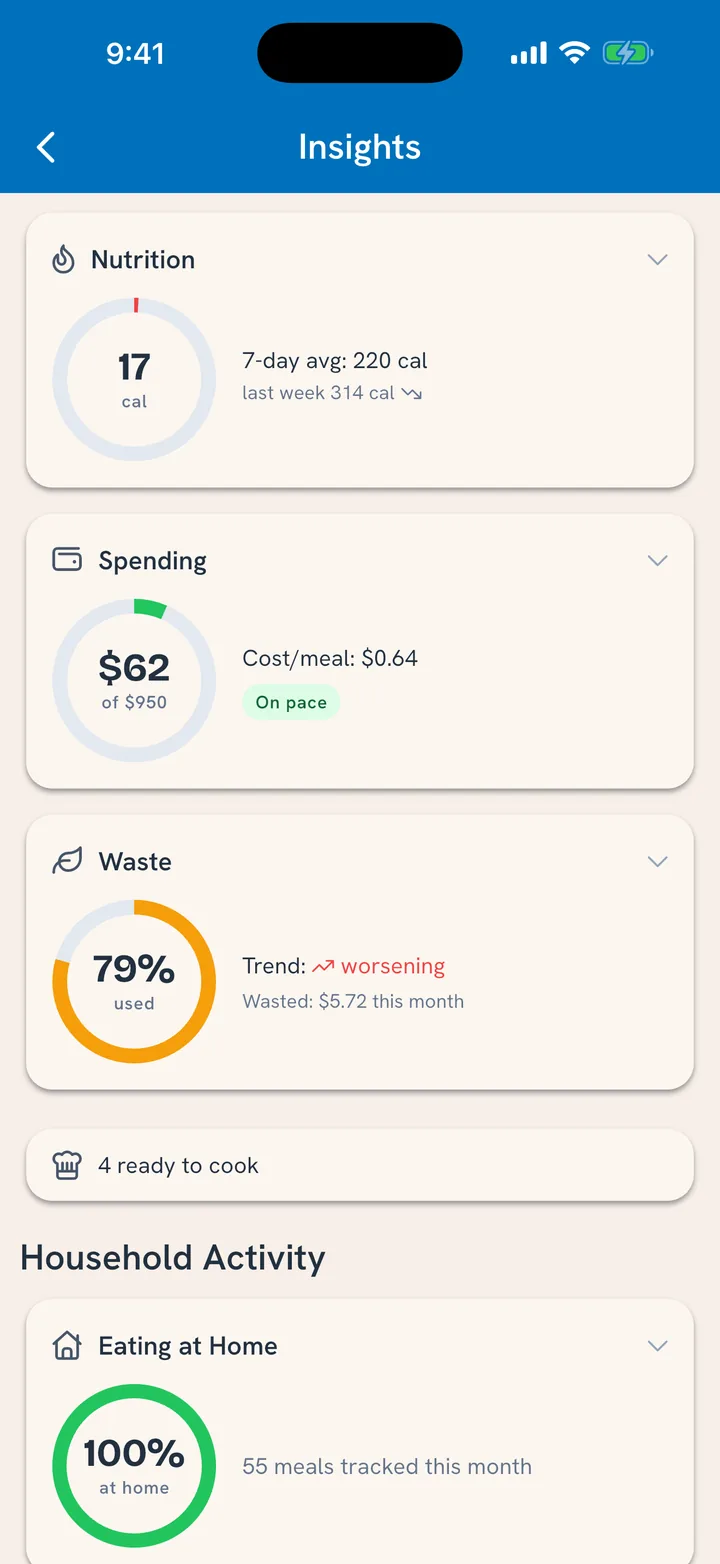
Receipts feed the grocery side automatically when you scan them; eating out lands when you log it with a cost. The budget is honest exactly as far as the record is, which is one more quiet reason logging pays.
Where the savings show
The spending view breaks down home versus eating out and cost per meal. For most households the story is simple and repetitive: every meal that moves from a restaurant to the kitchen is money that stays. The budget line just makes it visible week over week.
Related
- What you spent and what you tossed: See What Food Really Costs.
- Cheaper carts to begin with: Buy Only What You Need.