Set Goals That Fit You
Last updated
Goals in Tuna start from your body, not from a diet. You enter what is true (height, weight, age, activity), Tuna computes what you need, and you adjust anything you disagree with. Every number is per person, kids included.
Calorie needs
- Open Profile and choose Nutrition Goals.
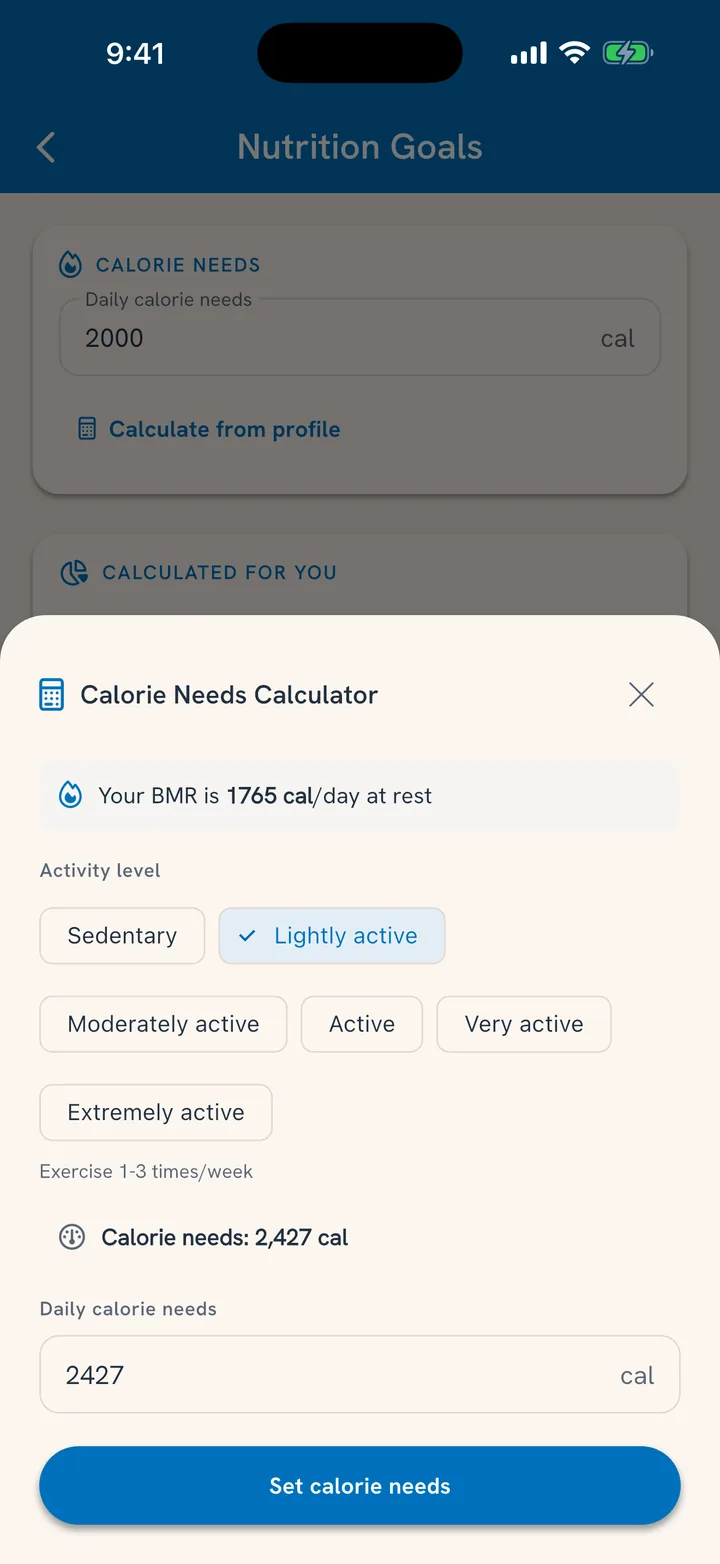
- Use the calculator: your stats plus your activity level produce your daily calorie needs.
- Set a target weight. Tuna infers the direction (lose, maintain, or gain) from where you are versus where you want to be, and shapes your eating target from it.
Prefer your own number? Type over any of it. The calculator is a starting point, not a verdict.
Macros and guardrails
Macro ranges (protein, carbs, fat) derive from your goal and can be overridden as percentage ranges, with the gram equivalents shown alongside.
Guardrails go further: a minimum or maximum on any nutrient you care about. Some earn their keep fast:
- A sodium ceiling when blood pressure is the project.
- A protein floor when muscle is.
- A fiber floor, because almost everyone's honest answer is "not enough."
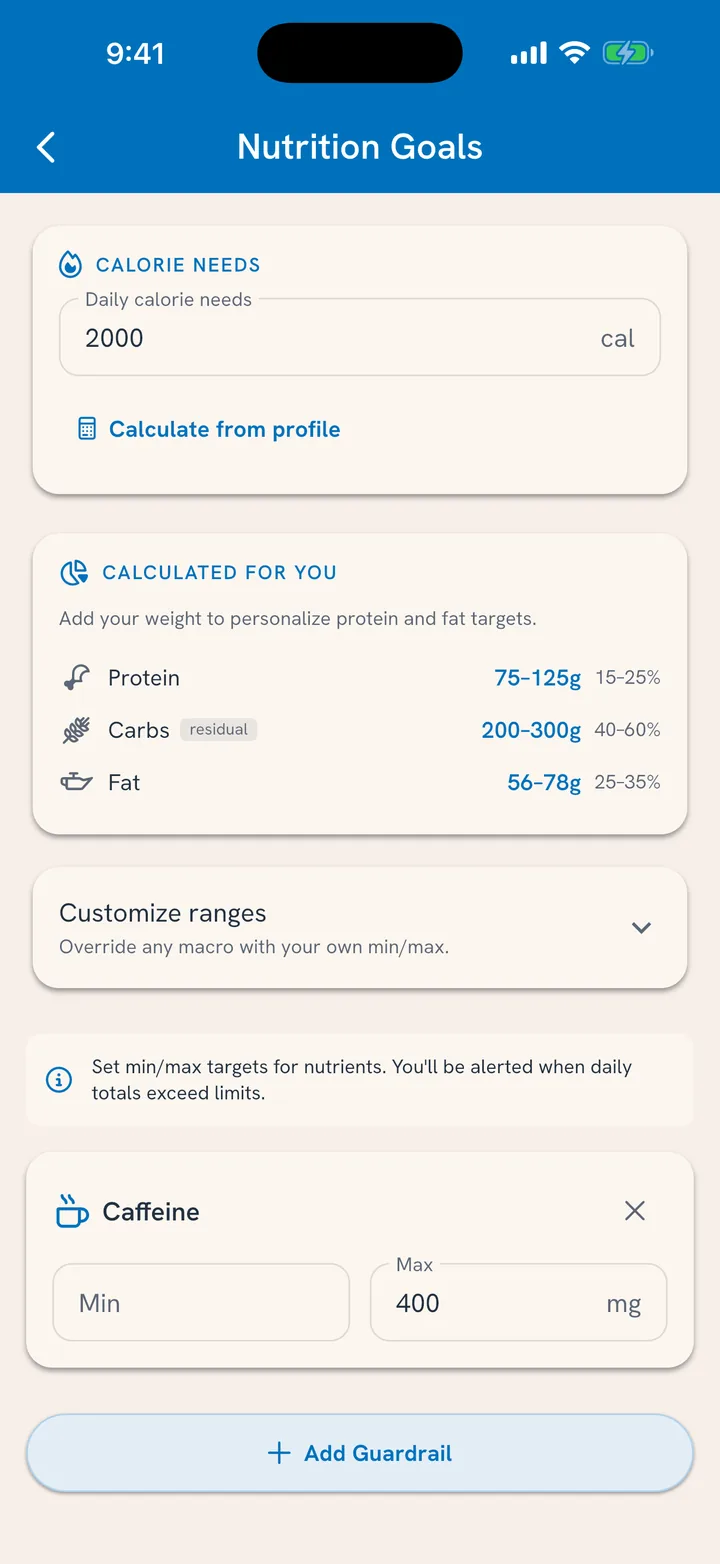
Tuna flags the rolling window when a meal pushes past a guardrail: information at the moment it helps, not a report card after.
For the household
Each member has their own goals. Adults set their own; kids get body stats and guardrails managed from their profile, so the eight-year-old is not being measured against an adult's calorie target.
Related
- Where progress shows up: See Your Nutrition Progress.
- Syncing workouts in: Sync With Your Health App.