Buy Only What You Need
Last updated
The most expensive food is the food you buy twice: the second jar of mustard, the fresh bag of spinach that goes in front of the one already wilting. Tuna's grocery list sits next to your pantry, so the question "do we already have this?" gets answered before you're standing in the aisle.
See what's already at home
When an item on your list is already in the pantry, its row says so in amber: Have some at home · exp Oct 9. Tap the row to see exactly what you have, how much, on which shelf, and when it expires.
The same line shows up as you search the list, so you see what's at home before you add something new.
Add what you actually ran out of
The list fills from what really happened in your kitchen:
- The last of something leaves. Mark it All gone or Pitch it, and Tuna asks whether it goes on the list. It doesn't ask while you still have more of the same food. See Mark Food All Gone.
- A recipe comes up short. Add the missing ingredient from the cook screen in one tap.
- A regular is due. Everything you bought or didn't need in the last month sits under Recent on the list, one tap from going back on.
Answer for the old one when you re-buy
Bought more before the first one ran out? When you confirm it on a receipt or add it to your pantry, Tuna asks about your oldest one: Is the other one all gone?
- Say how much is left, and whether the rest was eaten or tossed.
- Or tap Still have it, and both stay.
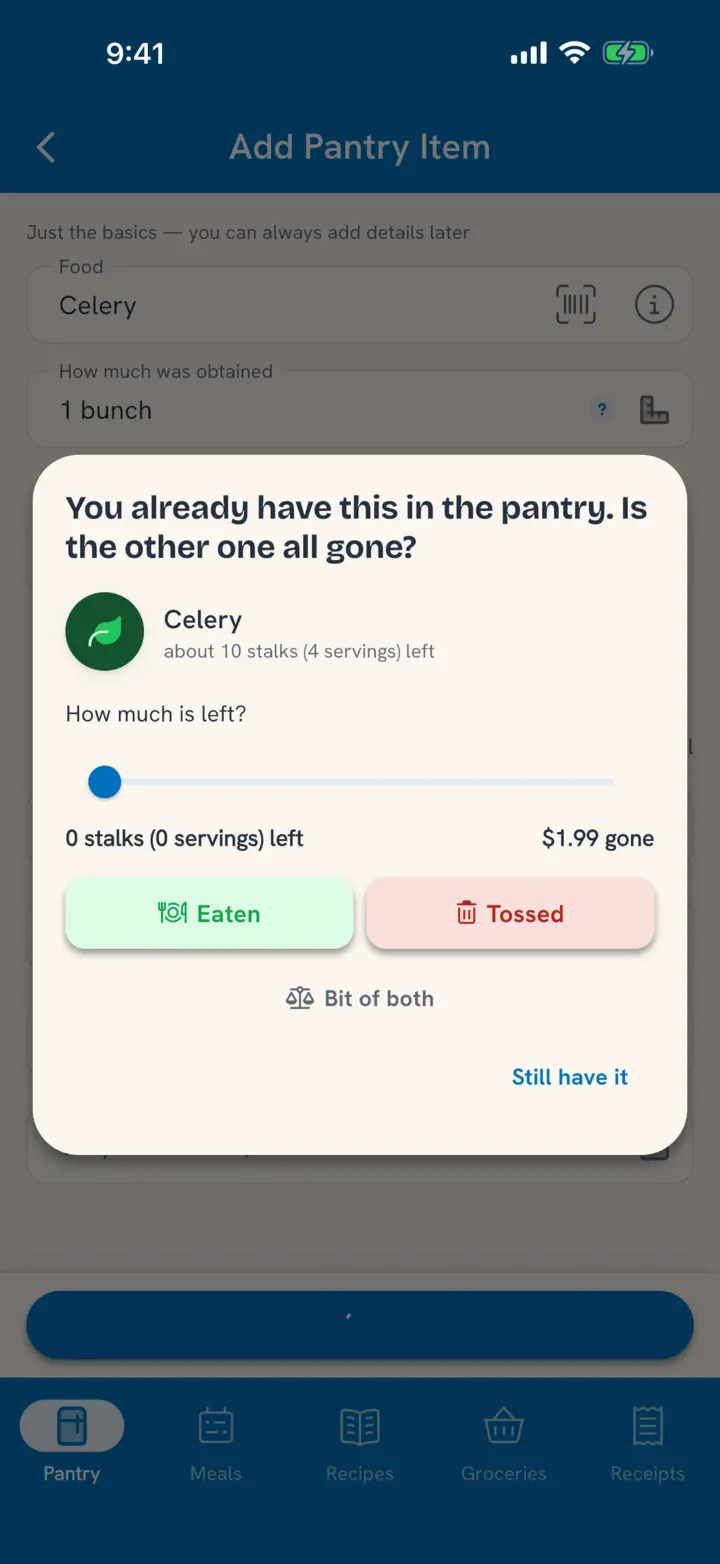
That one question keeps the old carton from hiding behind the new one until it goes bad.
Learn from what gets tossed
Grocery spending ranks the foods you throw out most, by dollars or by how often. If the same bag of spinach keeps topping it, buy a smaller one, or plan it into a meal the day it comes home. See See What Food Really Costs.
You stay in charge
Tuna asks; it never adds to your list on its own. Say No thanks when it asks about something running out and it won't ask about that food again. The list you shop from is always the list you built.
Related
- The list itself, shared and live: Run One Grocery List Together.
- Closing the loop after the store: Add Each Shop From the Receipt.