Load your pantry in one go
Scan or search from our database of over a million foods, one after another, and say the rest: "half a bag of spinach and three bananas."
Barcode · Search · Say
How to load your pantryDigitize your pantry, chat with it, cook what you love, share it with the house, and stop pitching food you meant to eat.
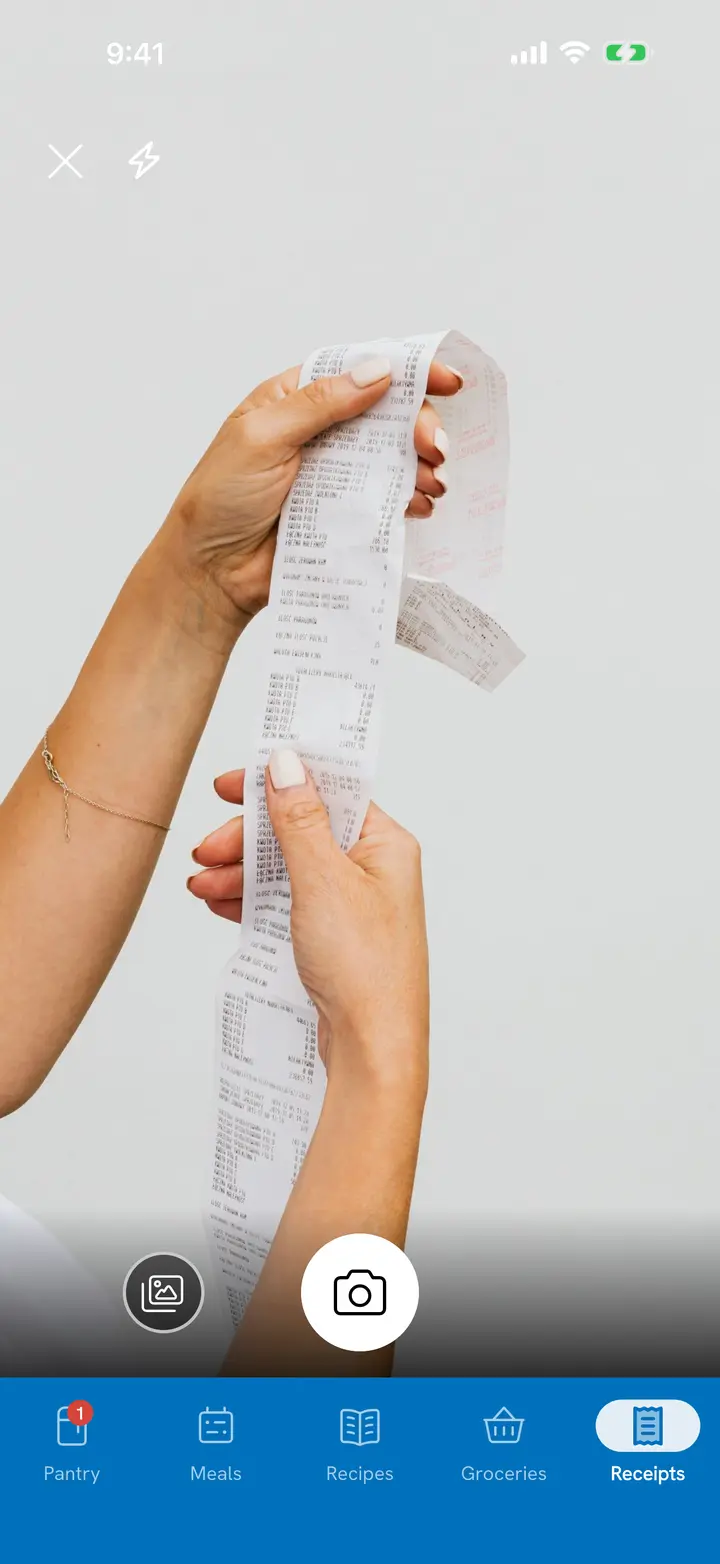
Scan or search from our database of over a million foods to load what you already have. Scan your grocery receipt to add each new shop. Tuna tracks how much you have and when it expires.
Customize pantry sections
Scan or search from our database of over a million foods, one after another, and say the rest: "half a bag of spinach and three bananas."
Barcode · Search · Say
How to load your pantryScan Grocery Receipt brings the whole shop in. Later, each trip shows how much of it got used and how much was tossed.
Scan Grocery Receipt
How receipt scanning worksMost things you add come with their details filled in. Not in the catalog? Estimate it: homemade or restaurant.
Over 1,000,000 foods
Add food that isn't in the catalogTap any item to see when it expires, what's available and what's already planned. Customize pantry sections; where it's kept sets the date.
Expires · Available · Planned
Customize pantry sectionsTell Tuna what you bought, ate, cooked or tossed, out loud or typed, and confirm it. Or connect Tuna to the AI chat app you already use and ask what's on hand.
“Two pounds of chicken breast and a dozen eggs”
Adds both to the pantry once you confirm
“The kids each had a cheese stick”
Logs a snack for everyone
“I made the chicken bowls for four”
Cooks the recipe, takes the ingredients out of the pantry
“The rest of the spinach went bad”
Records it, so it stops counting as on hand
"We finished the milk, there's about half the lasagna left, and I tossed the spinach." Tuna lays out each change, and nothing is saved until you confirm.
Voice · Text
How to chat with your pantryUse voice controls to track what your household cooks and eats: what you ate, what you cooked, what went bad.
Connect Tuna to the chat app you use and ask what's on hand, add groceries, or plan what to cook. It answers from your real pantry and from what Tuna knows about food, not from a guess.
Connector
Connect Tuna to your AI chat appImport the recipes you love from a link, or snap a photo of a cookbook page. Tuna connects their ingredients to your pantry, so you know what to make.
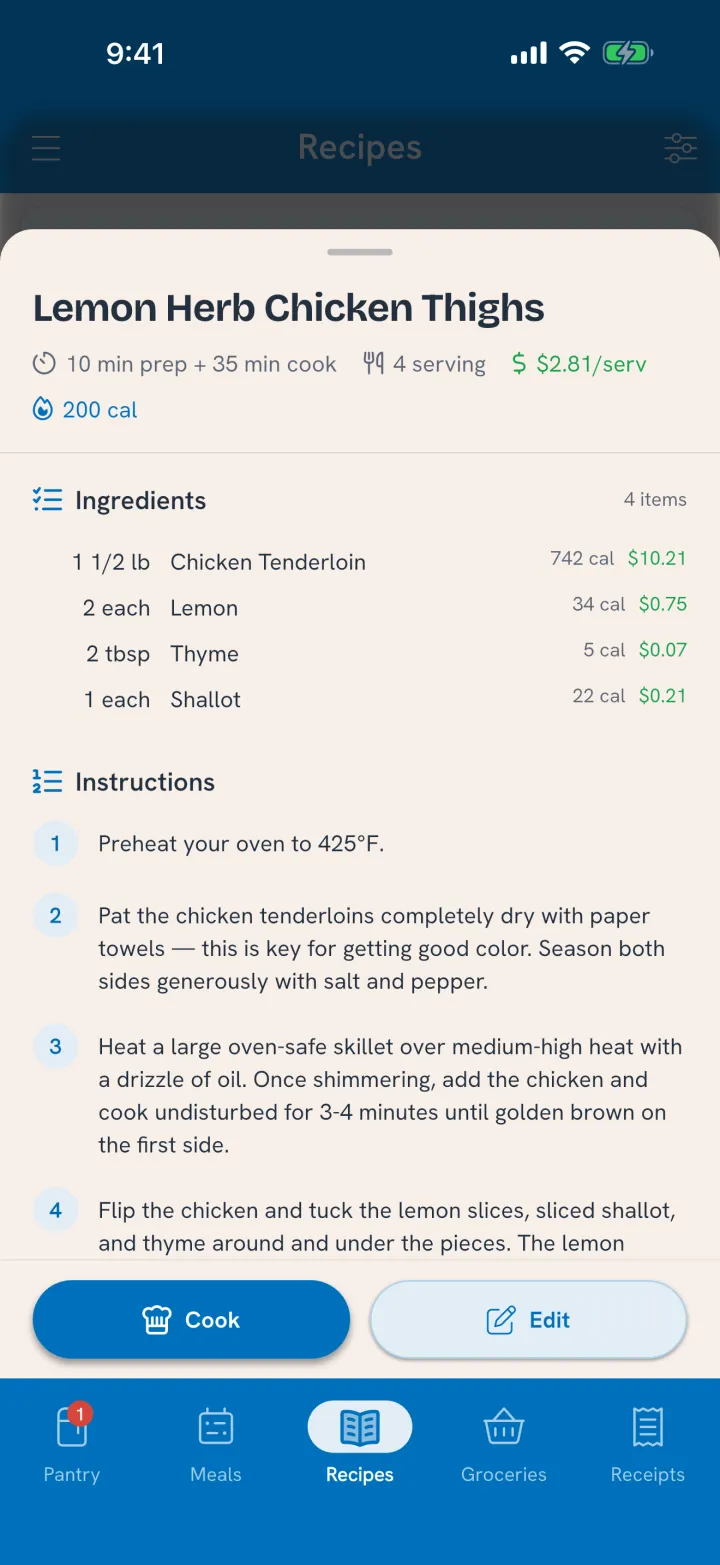
Paste a link, or snap a photo of a cookbook page.
Link · Photo
How recipe import worksTuna connects every ingredient to your pantry. Use It Up shows meals you've made and recipes you saved that use what needs eating.
Ideas for · Made before
Use food before it goes badIngredients come off the pantry when you cook, prep recipes included. The dish goes on the shelf where it keeps, with its own date.
Cook · Leftovers
How cooking worksStart cooking shows what to get out and which shelf it's on, marks the ingredients in each step, and runs the timers, even with your phone locked.
Start cooking · Timers
Cook step by stepAdd the people you share a kitchen with. Everyone knows what's on hand at any time, and the adults work from the same grocery list.
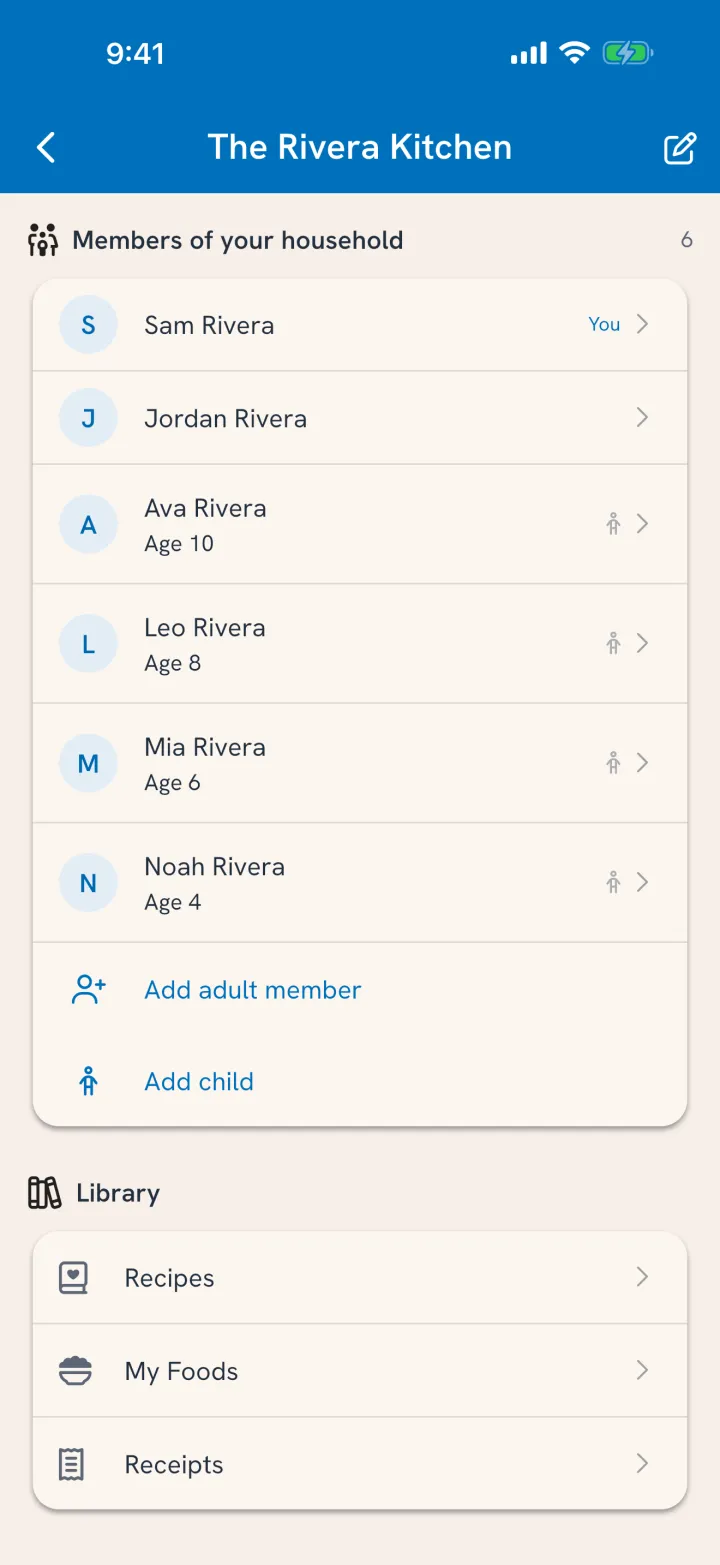
Everyone you add sees what's on hand. Adults share one grocery list that updates as you shop.
One pantry · One list
How household sharing worksTuna alerts you well in advance when food is expiring and helps you plan to use it up, so you're not pitching it later.

Food needs eating
now
3 expiring foods are at risk of being wasted
Expiring soon
Expiring food alerts: one alert when something needs eating.
Expiring food alerts
How expiring food alerts workExpiring soon and Expired, in one pass. Plan it, move it, mark it All gone, or Pitch what's past its date.
Expiring soon · Expired
How Clean the Fridge worksWhen something's gone, say where it went.
All gone
Mark food All goneWhat you spent next to what you tossed, and where every shop went: used, tossed, or still in the house.
Spent · Tossed
See what food really costsA chat app knows what you tell it. Tuna counts what happened in your kitchen: the receipt you scanned, the dinner you cooked, the yogurt that went bad. Ask how much rice is left and you get an amount, not a maybe.
What you told a chat app | What Tuna counts |
|---|---|
| “We have chicken” | How much is left: the receipt, minus what the last cook used |
| A rating on last night’s tacos | What each person actually ate, and when |
| “Groceries are expensive” | What this dinner cost, from what you paid |
| “Stuff goes bad sometimes” | What went bad, from your own All gone answers |
It knows food, too. A cup of flour weighs 120 grams, cooked rice keeps four days, and “GV ORG BLK BEANS” on your receipt is a can of black beans. Connect your AI chat app and it works from all of it.
2 lb of chicken breast at $12.99, the amount and price on the receipt.
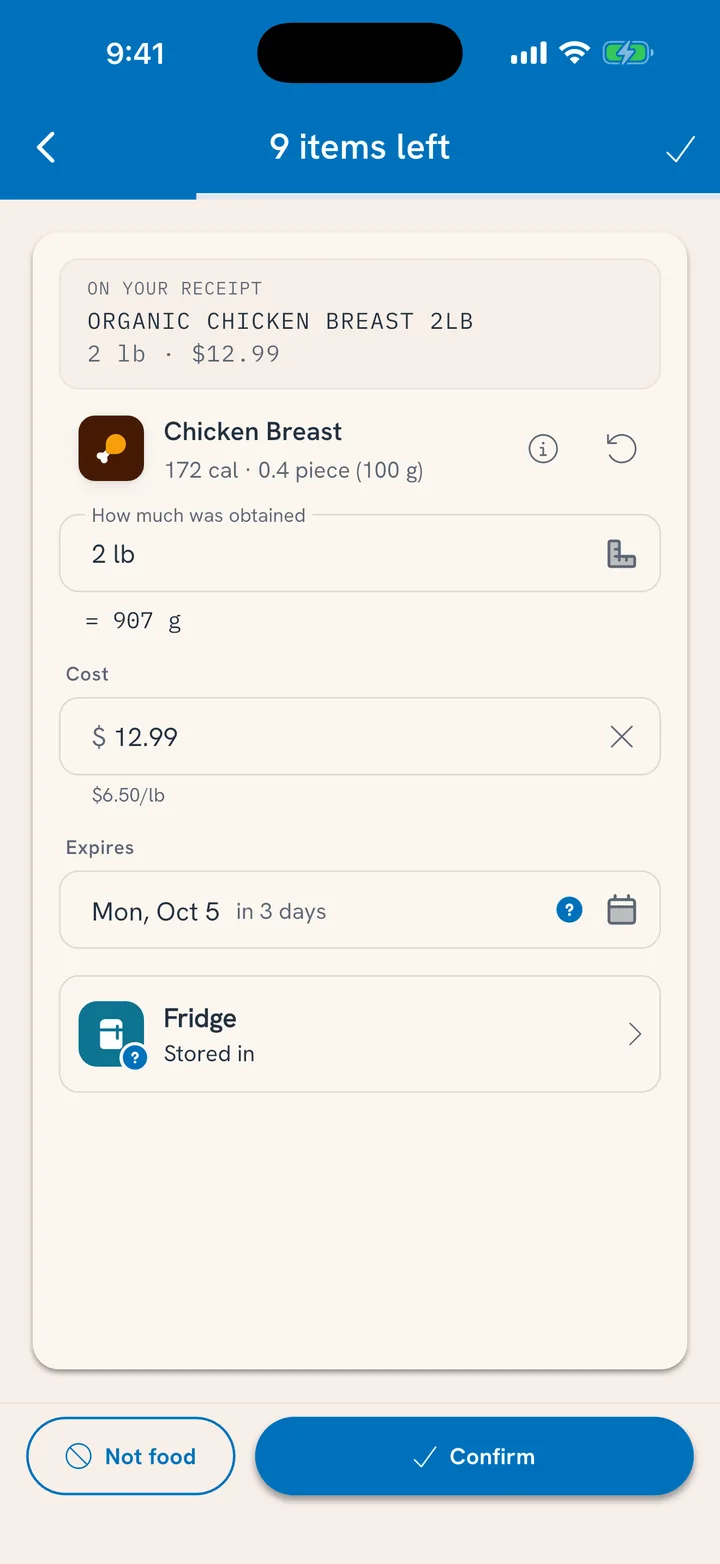
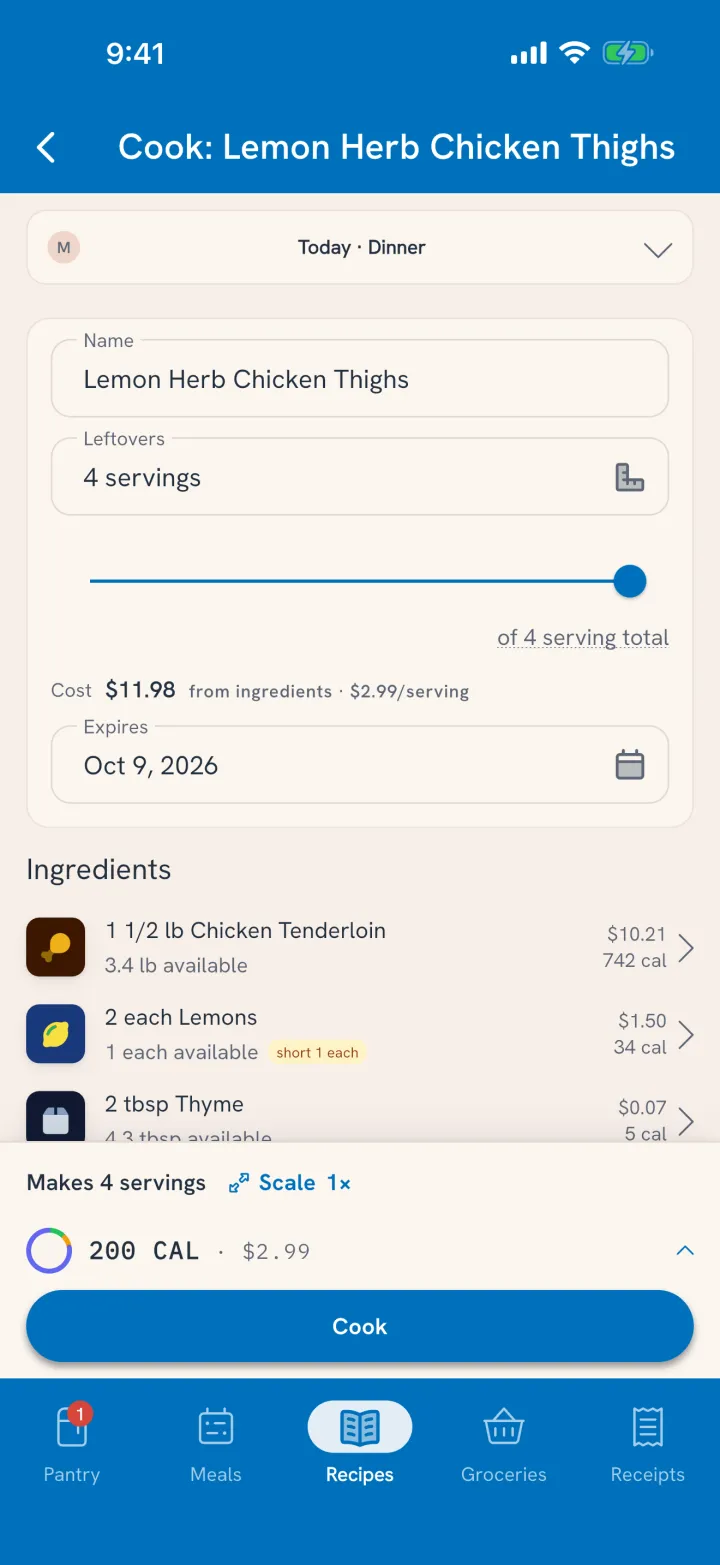
The recipe reads what's on hand, 3.4 lb of chicken, and tells you you're a lemon short.
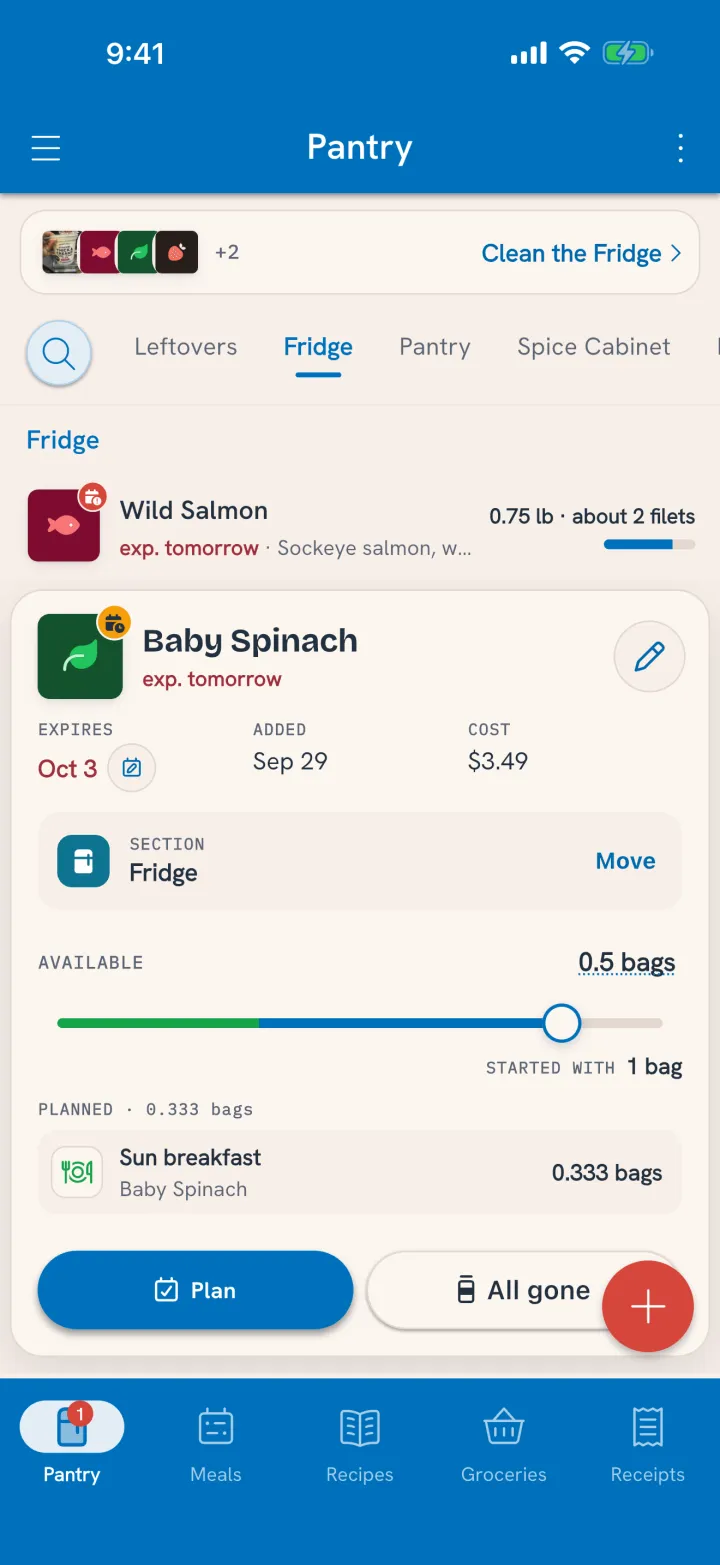
Started with 1 bag of spinach. Half a bag left, a third of a bag already planned for breakfast.
Cooking takes the real amounts out. The next receipt puts them back. So when Tuna says two chicken breasts, there are two.
Get Tuna freeSome apps watch the dates. Some keep your recipes. Some count what you eat. Tuna does all of it around one shared pantry, so the food you buy gets eaten.
| Feature | Tuna | NoWaste | Pantry Check | KitchenPal | Cooklist | Paprika 3 | MyFitnessPal |
|---|---|---|---|---|---|---|---|
| Free with Tuna | |||||||
| Expiration tracking and expiring-food alerts | Yes | Yes | Yes | Yes | Yes | Partly | Not found |
| Scan many items in one session | Yes | Couldn't confirm | Yes, needs a subscription | Partly, needs a subscription | Partly | Not found | Not found |
| Food database with nutrition (barcode and search) | Yes | Not found | Partly | Yes | Yes | Not found | Yes, needs a subscription |
| Recipe import from a link | Yes | Yes | Not found | Yes, needs a subscription | Yes | Yes | Yes |
| Recipes connected to what's in your pantry | Yes | Partly | Not found | Yes | Yes | Partly | Partly, needs a subscription |
| Nutrition goals and tracking for every household member | Yes | Not found | Not found | Partly | Not found | Not found | Partly |
| Budgeting groceries and eating out | Yes | Partly | Partly | Partly | Partly | Not found | Partly, needs a subscription |
| Pantry management with Clean the Fridge workflows | Yes | Partly | Partly | Partly | Partly | Not found | Not found |
| With Big TunaThe free plan includes a few of these to try. | |||||||
| Collaborate with your household on the pantry, recipes, groceries and planning | Yes | Partly | Partly | Yes, needs a subscription | Partly | Yes | Partly, needs a subscription |
| Grocery receipt scanning into the pantry | Yes | Yes | Not found | Yes, needs a subscription | Partly | Not found | Not found |
| Nutrition label scanning | Yes | Not found | Not found | Not found | Not found | Not found | Not found |
| AI nutrition estimates for meals you describe, including restaurants | Yes | Not found | Not found | Not found | Not found | Not found | Yes, needs a subscription |
| Import a recipe by snapping one or more photos | Yes | Yes | Not found | Partly, needs a subscription | Not found | Not found, In beta | Not found |
| AI recipes from what's in your pantry | Yes | Yes | Not found | Not found | Yes | Not found | Not found |
| Voice control | Yes | Partly | Not found | Yes | Not found | Yes | Yes, needs a subscription |
| Connects your live pantry to your AI chat app | Yes | Not found | Not found | Not found | Not found | Not found | Not found |
As checked October 4, 2026 against each app's App Store or Google Play listing and its official website or help center. Features chosen by Tuna. Solid check: included. Light check: needs a subscription. Half circle: part of the feature. ✗: not found in the app's published materials. ?: couldn't confirm.
Log meals for anyone in the house, see nutrition against your goals, track spending, and plan a few days ahead. Every one of them works better with a pantry that's current.
Read the tracking, planning, goals and money guidesFree on iPhone, iPad and Android. Start by loading what you already have.
Waste not, want Tuna.

