Load Your Pantry in One Go
Last updated
The first afternoon with Tuna is the big one: everything you already bought, into the pantry. Scan Multiple Items is built for it. Scan anything with a barcode, and say or search the rest. Each item gets a short card to confirm, and you keep moving along the shelf.
It's as useful afterwards, for a bag of groceries with no receipt, a delivery at the door, or a pass through the cupboard to see what's really left.
Start a session
- Open the Pantry tab and tap +.
- Choose Scan Multiple Items.
- Point the camera at a barcode. The frame turns green and says Hold still... while it reads, then the item's card opens.
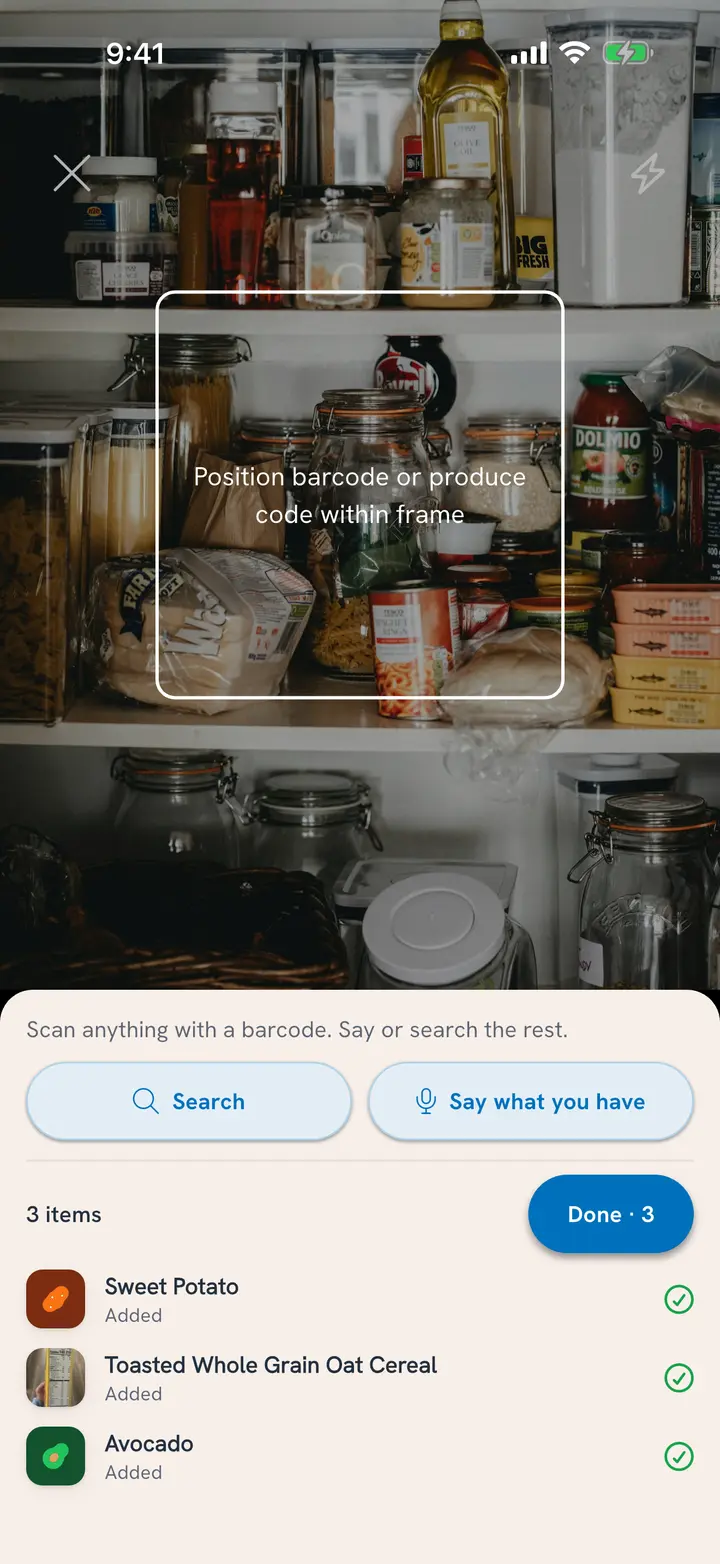
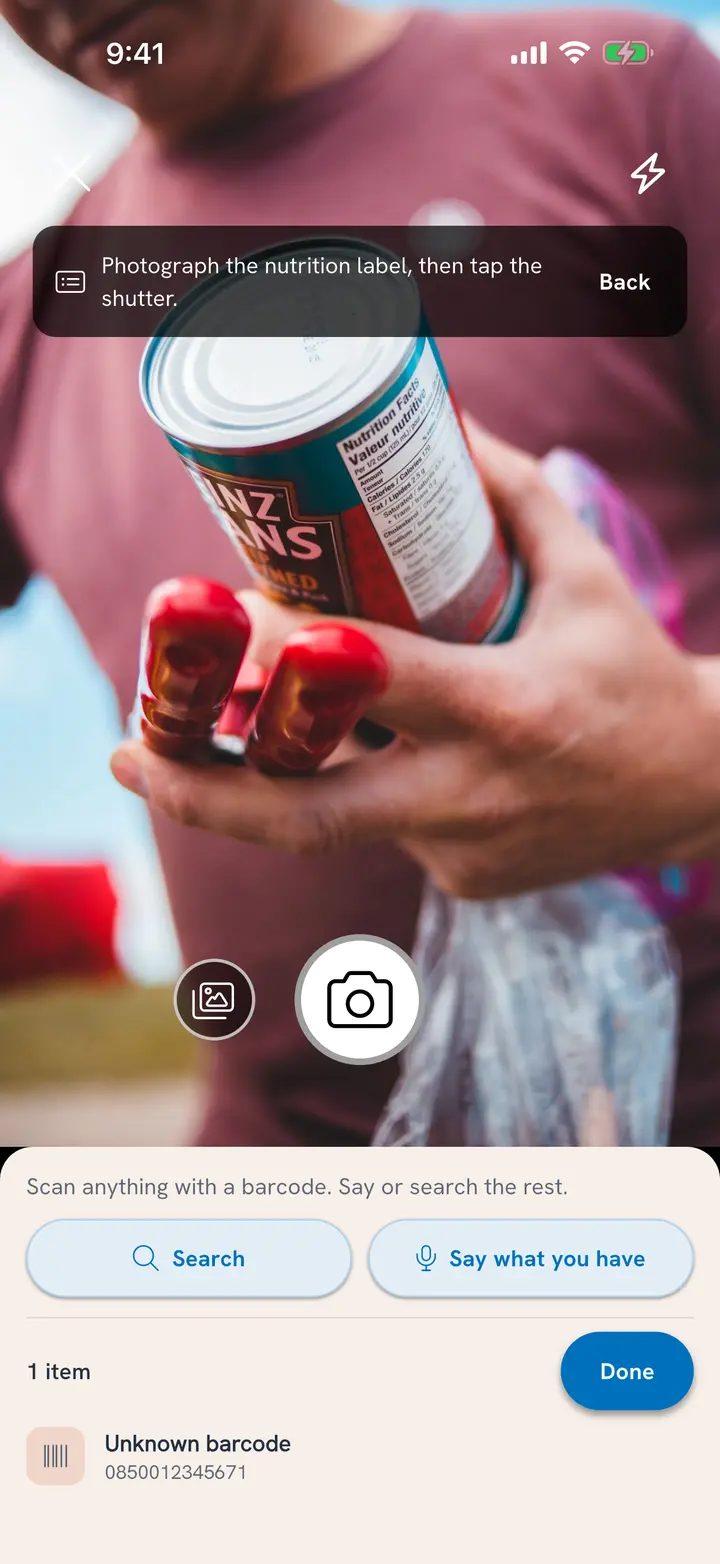
The scanner fills the screen. Everything else sits in one panel at the bottom: Search, Say what you have, the list of what you've added so far, and Done.
Confirm each item
Every item opens a card with Skip and Confirm pinned at the bottom, so they're always in reach. The camera waits while the card is up.
What the card asks depends on what you scanned:
- Something in a package (a jar, a can, a box): how much you have, a What's left slider for anything already opened, when it expires, and where it's stored. Scan the same can three times and you get three cans.
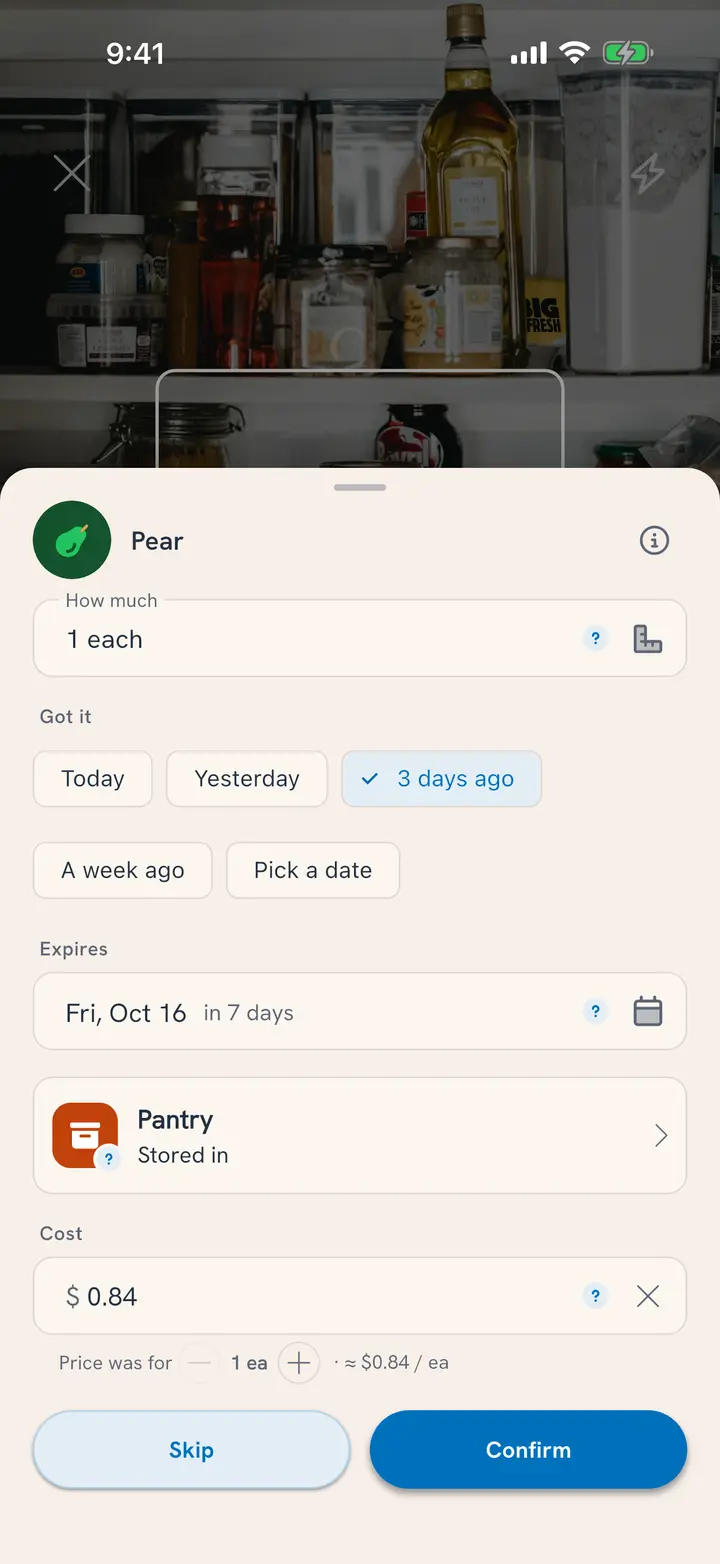
- Loose food (produce, deli, bakery bread): how much you have, and when you Got it: Today, Yesterday, 3 days ago, A week ago, or a date you pick. Tuna works out when it expires from that and where you keep it ("Expires about Oct 13").
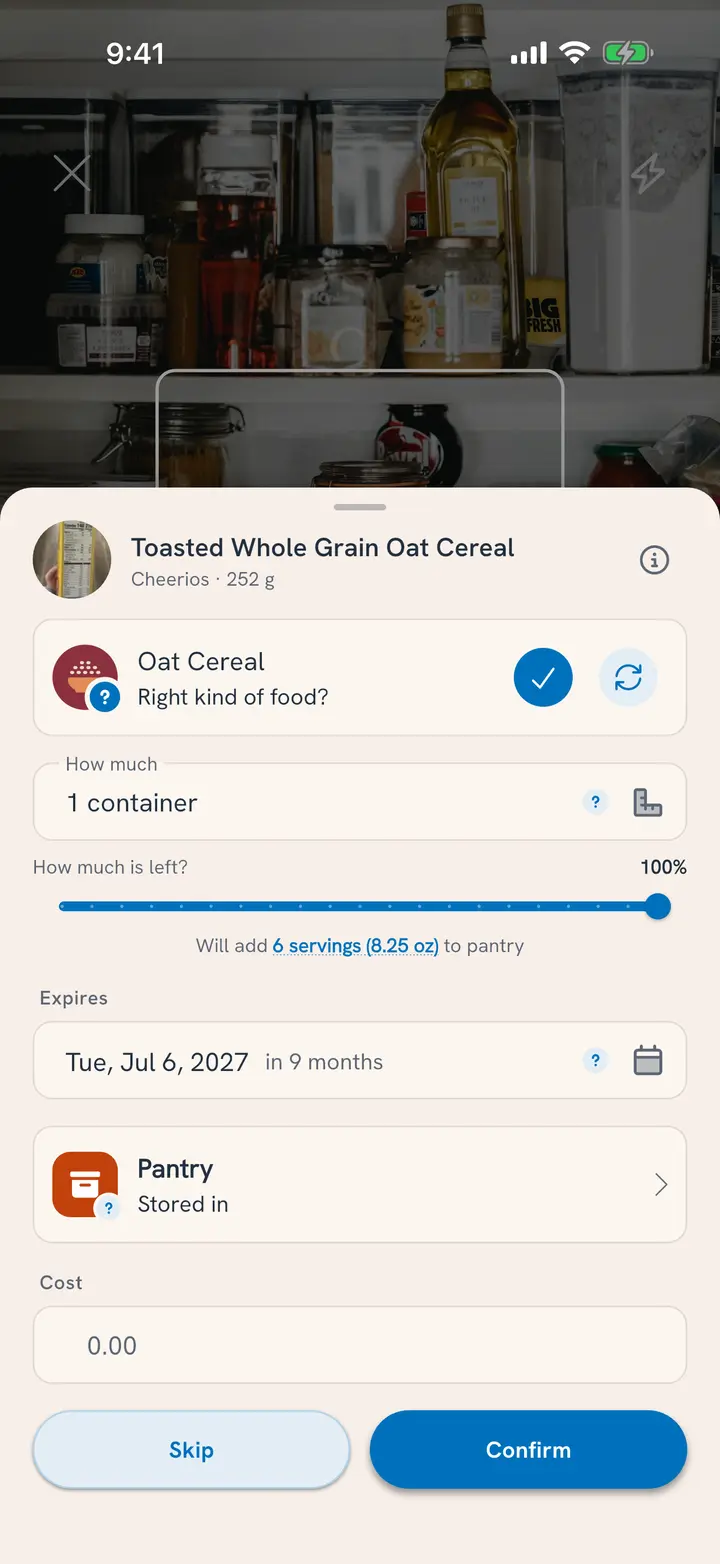
Values Tuna filled in for you carry a small ?. Change anything that's off, then tap Confirm. Each item saves as you confirm it, so stopping halfway loses nothing.
Cost is the last row. It's prefilled from what your household has paid before, and you can leave it.
Say or search what has no barcode
Loose produce, the bulk-bin rice, last night's chili: use the two buttons in the panel.
- Search opens with the keyboard up. Find the food by name in our database of over a million foods, pick it, and its card opens like anything you scanned.
- Describe it sits at the top of Search, for leftovers and dishes that aren't in any database. See Add Food That Isn't in the Catalog.
- Say what you have lets you list several things at once, out loud or typed: "Two pounds of chicken breast and a dozen eggs." Tuna shows them in one list to check, and what you confirm joins your list here. The full walkthrough is in Say What You Have.
When a barcode isn't found
Some barcodes aren't in the database yet. The card for an Unknown barcode offers three ways forward:
- Search for it: find it by name. The product keeps this barcode, so the next scan finds it.
- Say what it is: say or type the name.
- Scan nutrition label: photograph the nutrition panel, and Tuna reads it into a new food with this barcode.
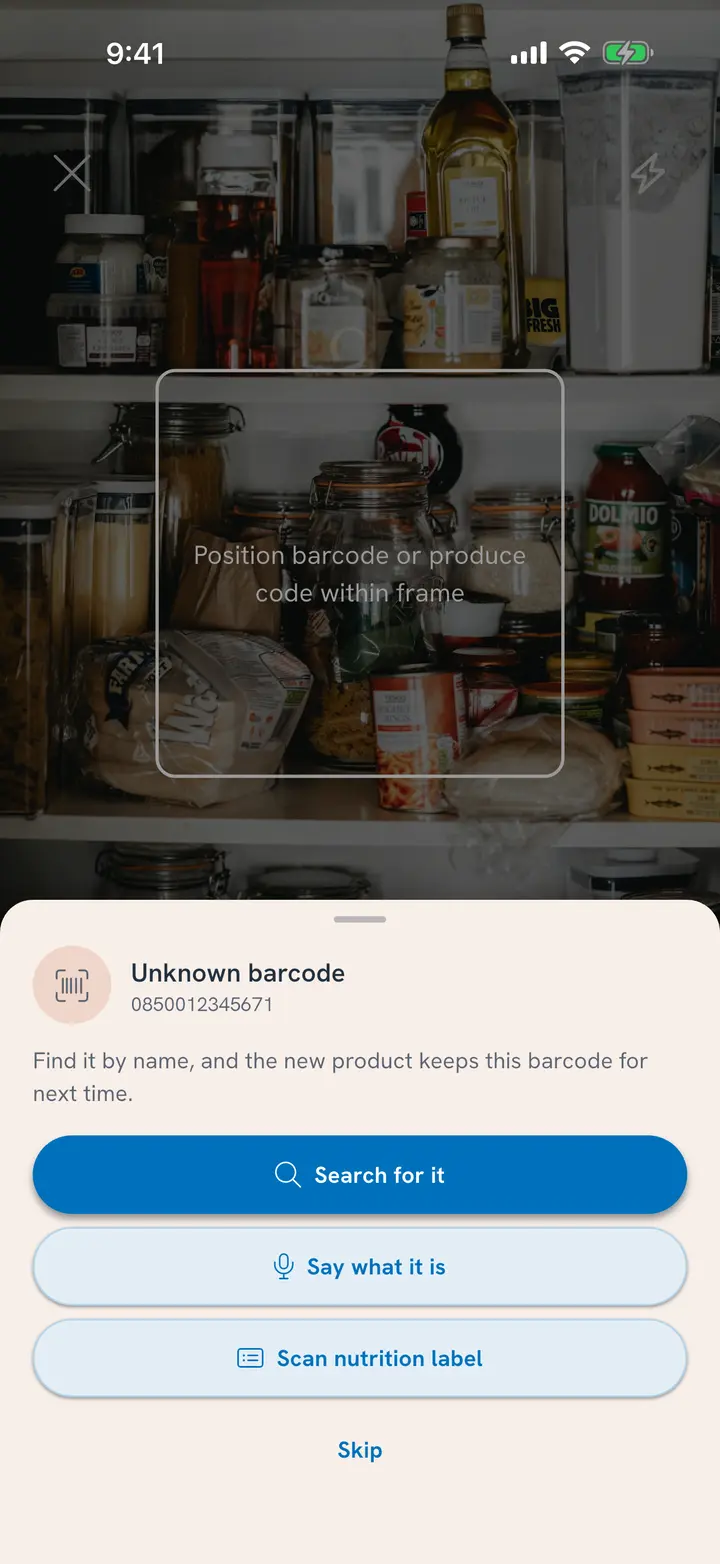
Or tap Skip and move on. Produce stickers work the same way: an Unknown produce code offers search or saying what it is.
Finish
Tap Done when the shelf is empty. The button counts what you added (Done · 12).
If any cards are still waiting, Tuna asks once, for example Skip 2 items unconfirmed? Tap Skip them to leave them out, or Keep scanning to go back. Everything you confirmed is already in your pantry.
Back on the Pantry tab, a message says what came in: "Added 12 things, about $48."
A good order to work in
- The fridge first. It's where food goes bad fastest, so it's where the alerts matter most.
- The freezer. You'll stop buying what you already have three of.
- The pantry shelves. Staples, cans and snacks.
Related
- Groceries came home with a receipt? Add Each Shop From the Receipt.
- Rather talk than scan? Say What You Have, or see all the ways to chat with your pantry.
- Only one item? Add Items One at a Time.
- Want your own sections, like Snack drawer or Garage freezer? Customize Pantry Sections.