Get Expiring Food Alerts
Last updated
Food doesn't announce when it's going bad
The spinach in the back of the fridge. The yogurt from last week. The chicken that was supposed to be Tuesday's dinner, and it's Thursday. Food goes bad quietly, and by the time you see it, the only decision left is which bin.
Tuna's job is to move that moment earlier, to when the food is still breakfast, lunch or dinner.
Dates that set themselves
Every item that comes into your pantry, by bulk scan, receipt, barcode or search, comes with an expiration date. Tuna suggests it from how long that food usually lasts where you keep it: fresh chicken in the fridge gets days, rice on the shelf gets a year, and the same chicken in the freezer gets months.
Change any date when the package says otherwise. Moving something to a different kind of place re-dates it for you. See Customize Pantry Sections.
One alert, at 7 AM
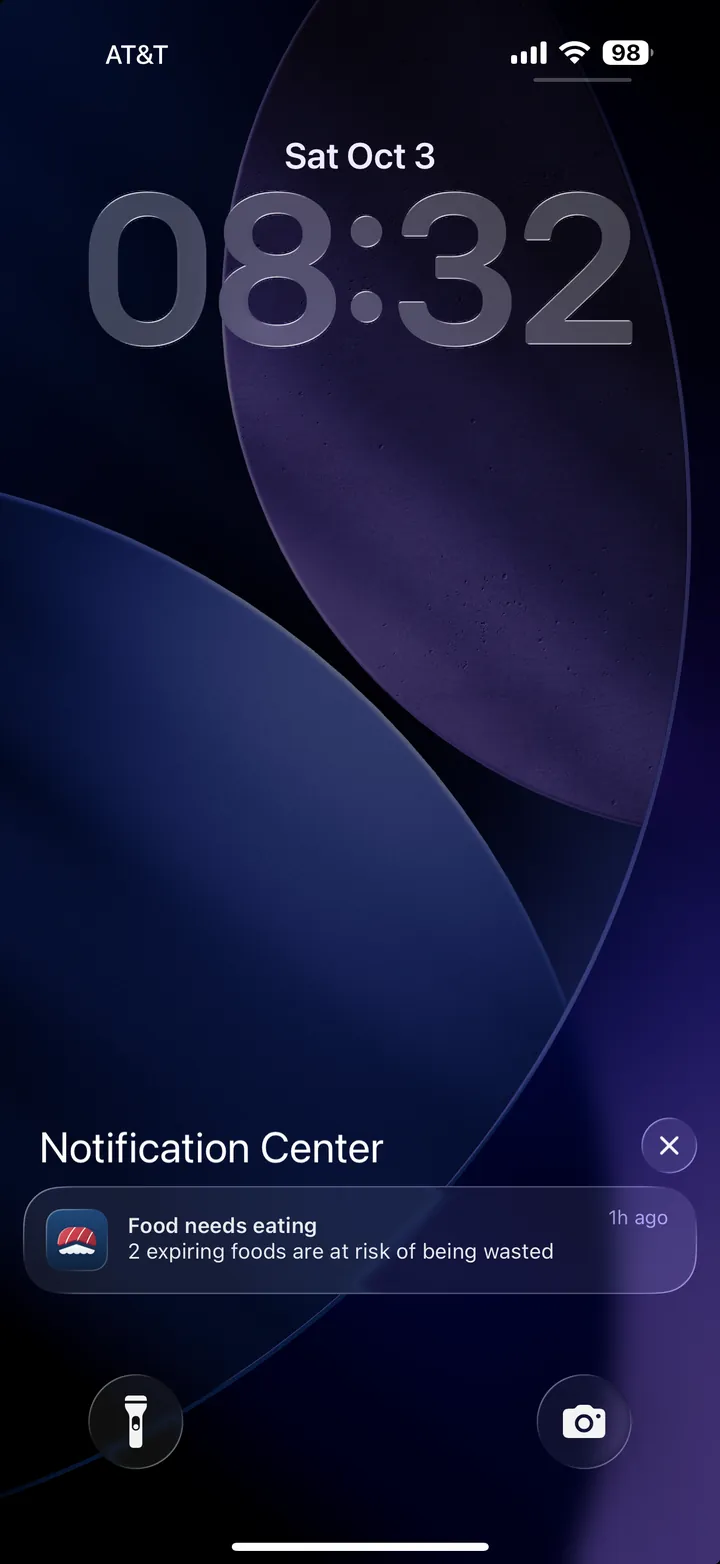
On mornings when something needs eating, Tuna sends one alert: Food needs eating, with how many foods are at risk of being wasted.
It counts food expiring in the next three days, plus food that went past its date in the last three. That window is on purpose. Three days is enough time to plan a meal around something, and plenty of food is still worth checking a day or two past the date on the package.
Tap the alert and Clean the Fridge opens on exactly those items, so you can decide what happens to each one. See Clean the Fridge.
It stays quiet when it should
- No alert on mornings when nothing needs eating. You only hear from Tuna when there's something to do.
- Planned food doesn't count. If the chicken is already planned for Thursday's dinner, it's handled.
- Food past its window drops off. Something three weeks past its date isn't news. Clear it out with Clean the Fridge when you're ready.
Turn it on
Expiring food alerts are on from setup. To check, or to turn them on if you skipped it:
- Open Settings.
- Under Notifications, turn on Expiring food alerts.
- If your phone asks, allow notifications for Tuna.
Everyone in the household who turns on alerts gets their own, on their own phone, at 7 AM their time.
Living with it
- Let the defaults work. Fix a date when you actually know better, not as a ritual.
- Freeze early. The moment you suspect the chicken won't make it to its plan, move it to the freezer.
- Say where it went. When food is finished or tossed, mark it All gone. Honest data now means better shopping later. See Mark Food All Gone.
The goal isn't a kitchen where nothing is ever thrown away. It's one where food gets eaten in roughly the order it needs to be, without anyone standing guard.