Meal Times & the Rolling Window
Last updated
Tuna divides every day into eight meal times, and counts "your day" as a rolling window across them instead of resetting at midnight. This one design choice is behind most of what feels different about tracking in Tuna.
The eight meal times
Three core meals anchor the day: Breakfast, Lunch, and Dinner. Five snack times sit between and around them: Pre-Breakfast, Mid-morning, Afternoon, Evening, and Late-night. Snack times you never use stay out of the way; anything with food logged always shows.
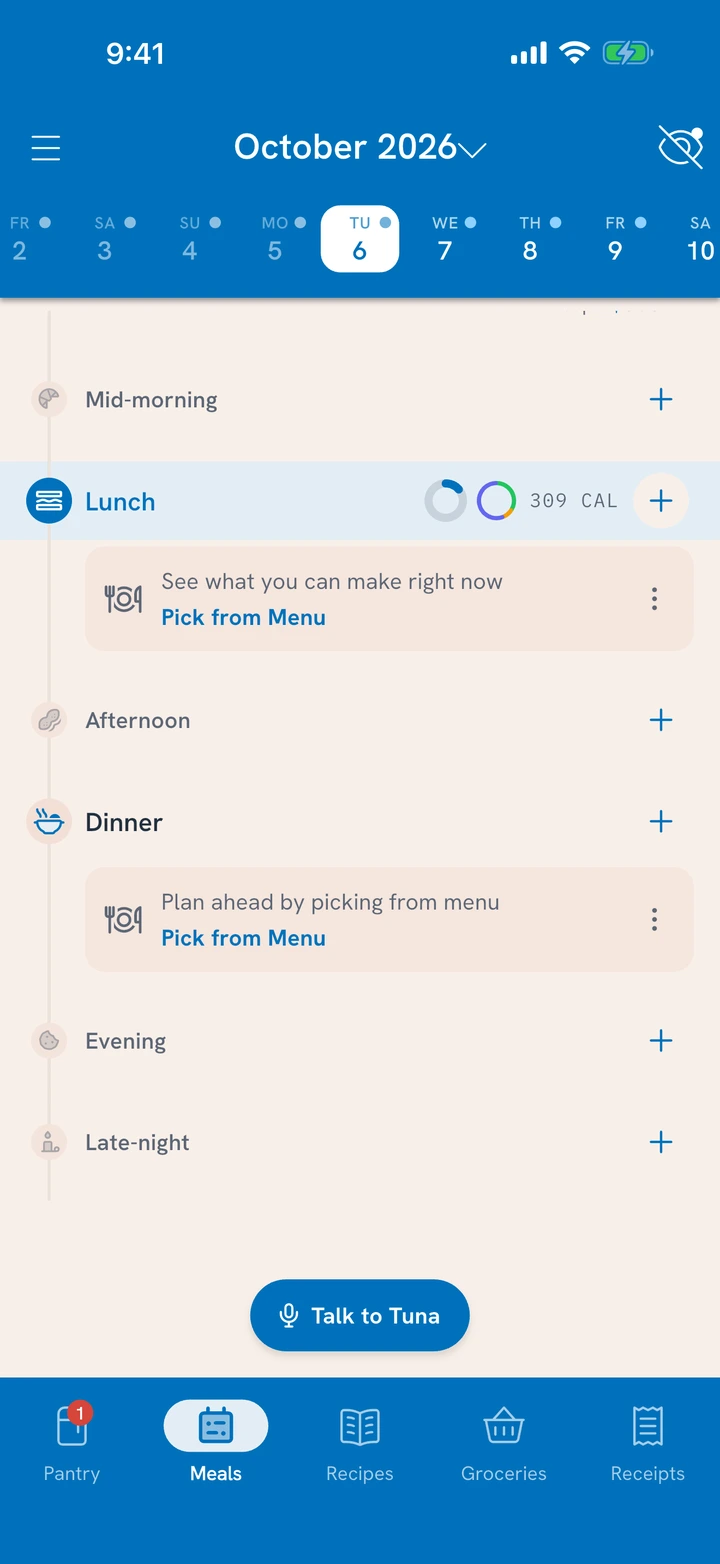
Every log entry lands in a meal time, which is what puts the Meals tab in order: each day's meals run from morning to night, and a meal that hasn't started yet saves as a plan.
The rolling window
At any meal, your running total is that meal plus the seven meal times before it: one full trip around the day, ending right where you stand. There is no midnight reset.
Why it matters:
- A big dinner still counts at breakfast. Last night's feast gently lowers what the window suggests this morning, the way real appetites work.
- No wasted-day spiral. A heavy lunch does not "ruin" a day that resets to zero while you sleep, because no such reset exists. The window simply rolls forward, and every meal is a fresh chance to balance it.
- Every meal is a checkpoint. Instead of one daily verdict, you get a gentle running answer to "how am I doing right now?"
You will see the window wherever totals appear: each meal's calories on the Meals tab (pick one person with the lens at the top), See each person's day while you track a meal, and Insights.
What counts
The window counts food, with one honest boundary:
- Confirmed meals are the solid part of every ring and total.
- Planned meals show as the in-progress segment, so you can see where the day is heading before it gets there.
- Exercise appears alongside your day but never offsets the window. Tuna does not trade a workout for a snack.