Customize Pantry Sections
Last updated
Your kitchen isn't just "fridge, freezer, pantry." There's the basement chest freezer, the spice cabinet, the snack drawer the kids raid. Customize pantry sections to match, and the pantry list reads like your kitchen. Each section is a fridge, freezer or pantry kind of place, and that kind sets how long food lasts there.
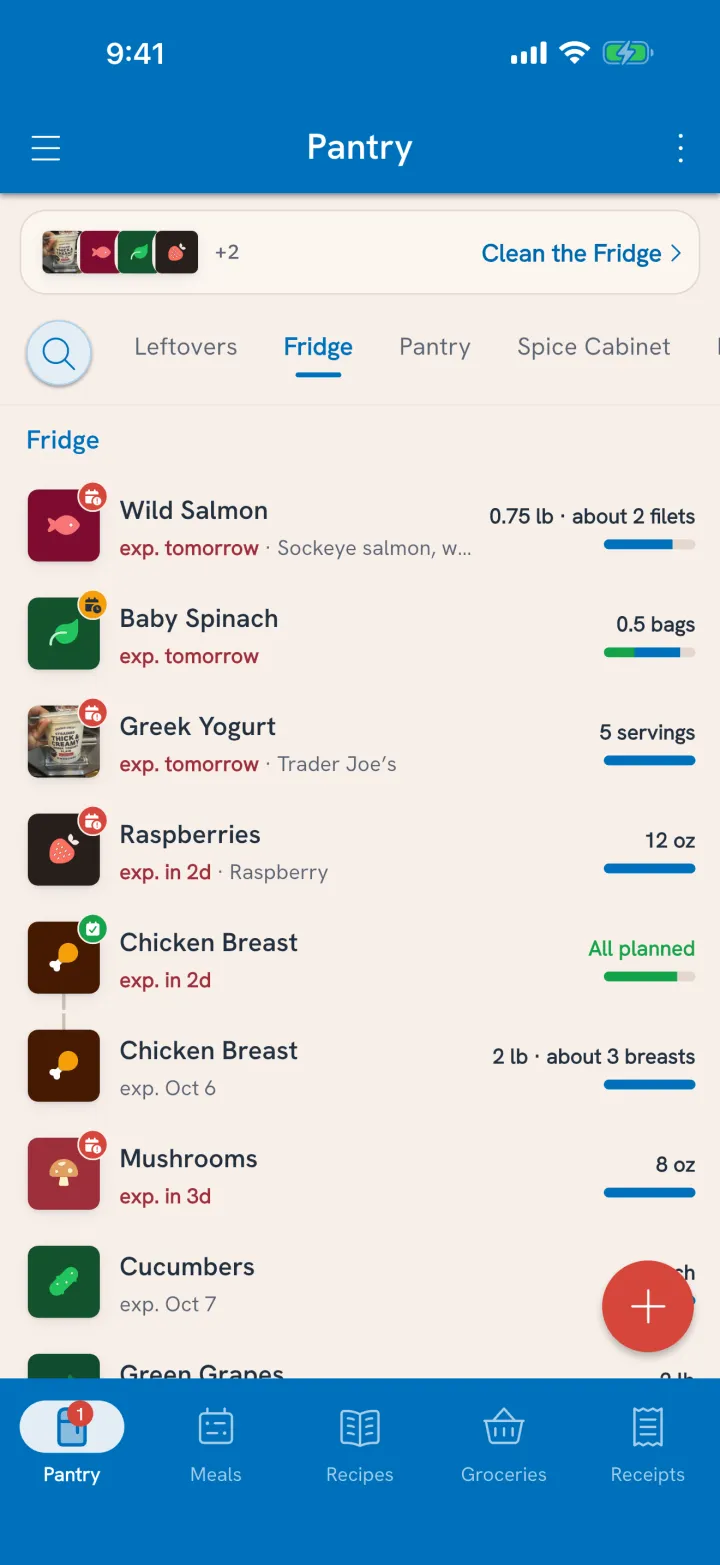
Add or edit a section
- On the Pantry tab, open the overflow menu (⋮) and choose Manage Sections.
- Tap Add.
- Give it a Name, like "Garage Freezer" or "Spice Cabinet."
- Answer What kind of place is it?: pantry, fridge or freezer.
- Pick a Colour and an Icon so you can spot it in the list.
- Tap Create, then Save.
Tap any existing section to rename it or change its look. Deleting a section moves its food to the default section of the same kind, so nothing goes missing.
Move food between sections
Moving is how the pantry keeps up when the chicken goes from the fridge to the freezer.
- Tap the item in the pantry to open its card.
- Next to Section, tap Move.
- Pick where it's going. You can make a New section from here too.
- Choose All of it or Some of it, and set the amount if it's some.
- Tap Move all, or the move button with the amount.
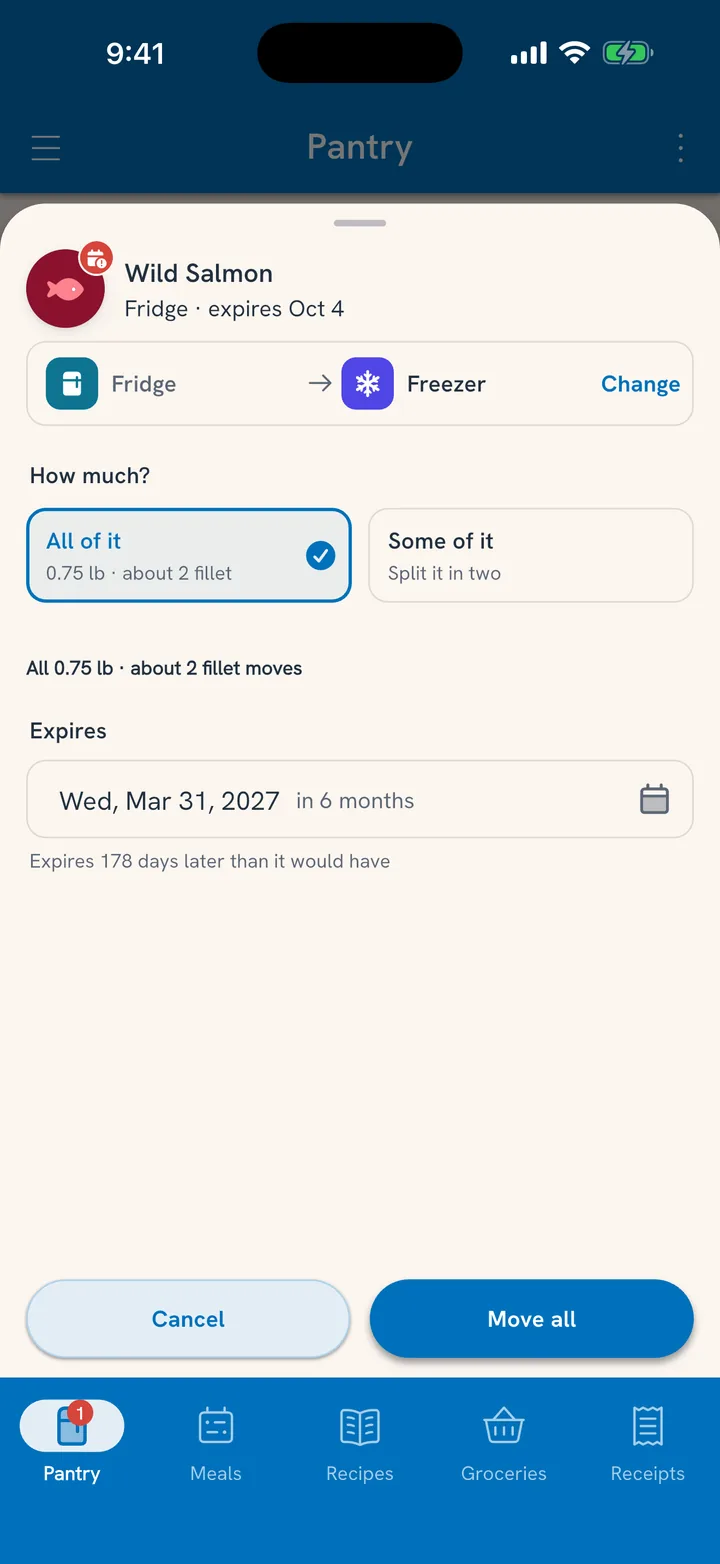
Where it's kept sets the date
Food lasts a different amount of time in each kind of place, so moving it changes its expiration date. The move sheet always shows the new date before you confirm.
- Fridge to freezer: the chicken gets a much longer date, and it stops showing up in the morning alert until it's close again.
- Freezer to fridge: thawing starts a shorter clock.
- Spice Cabinet to Garage Shelf: two places of the same kind, so the date stays put.
Moving Some of it splits the item in two: the part that moved gets its own date, and the part that stayed keeps the old one. Freeze half the ground beef tonight and use the rest tomorrow.
Sort what has no section yet
New items usually land in the right section on their own. Anything that doesn't gathers under Unorganized at the bottom of the pantry. Tap Put away there to sort them all in one sweep. Tuna remembers where your household keeps each food, so next time it lands in the right place.
Related
- Fixing amounts and dates: Fix What's Off.
- Working through what's expiring: Clean the Fridge.