Clean the Fridge
Last updated
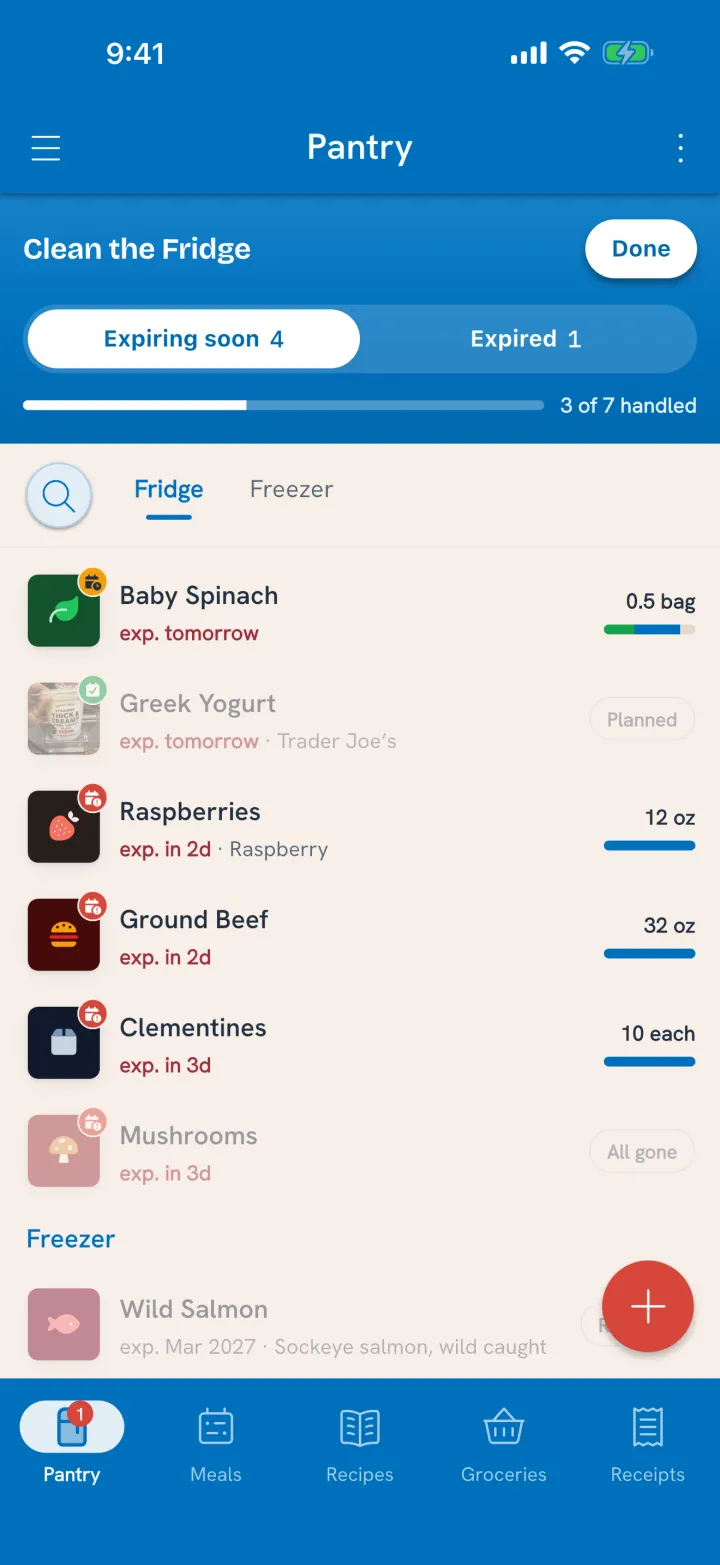
Clean the Fridge is how you act on what needs eating. It's not a separate screen: the pantry list switches into a mode that shows only the food that needs a decision, and you work through it in place. A few minutes is usually enough.
Start it
Two ways in:
- Tap the morning alert. Food needs eating opens Clean the Fridge on the Expiring soon tab.
- From the pantry. When something needs a decision, a Clean the Fridge band sits at the top of the pantry list, with thumbnails of what's waiting. Tap it.
Two tabs
- Expiring soon: food expiring in the next three days, or just past its date, that isn't planned yet. This is the list the morning alert counts.
- Expired: food that's past its date. Some of it is still fine. Some of it isn't.
The band shows your progress as you go, like 3 of 7 handled. An item counts as handled once it no longer belongs in the tab.
Decide each one
Tap an item and its card opens right in the list. Pick what happens:
- Plan it for a meal or a cook. Tuna shows the meals you've made with it and the recipes you've saved that use it. See Use Food Before It Goes Bad.
- Move it to the freezer, where it gets a longer date. See Customize Pantry Sections.
- Mark it All gone if it's already finished or past saving, and say whether it was eaten, tossed, or a bit of both. See Mark Food All Gone.
- On the Expired tab, Pitch records it as waste in one tap.
If that was the last of it, Tuna asks whether it goes on the grocery list. See Mark Food All Gone.
Some of it left but not all? Drag the Available slider to what's actually there and Tuna books the difference.
Finish
Tap Done when you've handled what you can. Anything you skipped will still be there next time, and the morning alert will keep counting it until it's handled.
Why a few minutes matters
Every item you handle makes the rest of Tuna truer:
- The alerts count only food that really needs you.
- The grocery list stops skipping things you're actually out of.
- Your waste numbers become worth reading, because they say where food really went.
Related
- The alert that brings you here: Get Expiring Food Alerts.
- One-off corrections anytime: Correct Pantry Amounts.