Unit Conversions
Last updated
Unit conversion is the freedom to say amounts your way: buy "2 jugs," cook "a cup," log "3 large." Every flow in Tuna (obtaining, cooking, logging) accepts whatever unit you want, converts quietly underneath, and when a conversion genuinely needs information only you have, Tuna asks once instead of guessing.
How Tuna picks the default unit
You should rarely need to pick a unit from scratch. Tuna proposes one based on what you are doing:
- Editing something? It keeps whatever unit you used before.
- Cooking a recipe? Each ingredient defaults to the unit the recipe calls for.
- Adding to the pantry (single scan, bulk scan, or a receipt)? Packaged goods default to the whole package: "1 box" with its servings known. Loose, countable foods default to one custom unit: "1 large," not 452 grams.
- Logging a meal? The food's own serving, expressed in your preferred measurement system (US or metric, from Settings).
- No better answer? One serving, and you take it from there.
The default is a starting point, never a requirement. Tap the unit to change it; the amount converts with you.
What is in the unit list
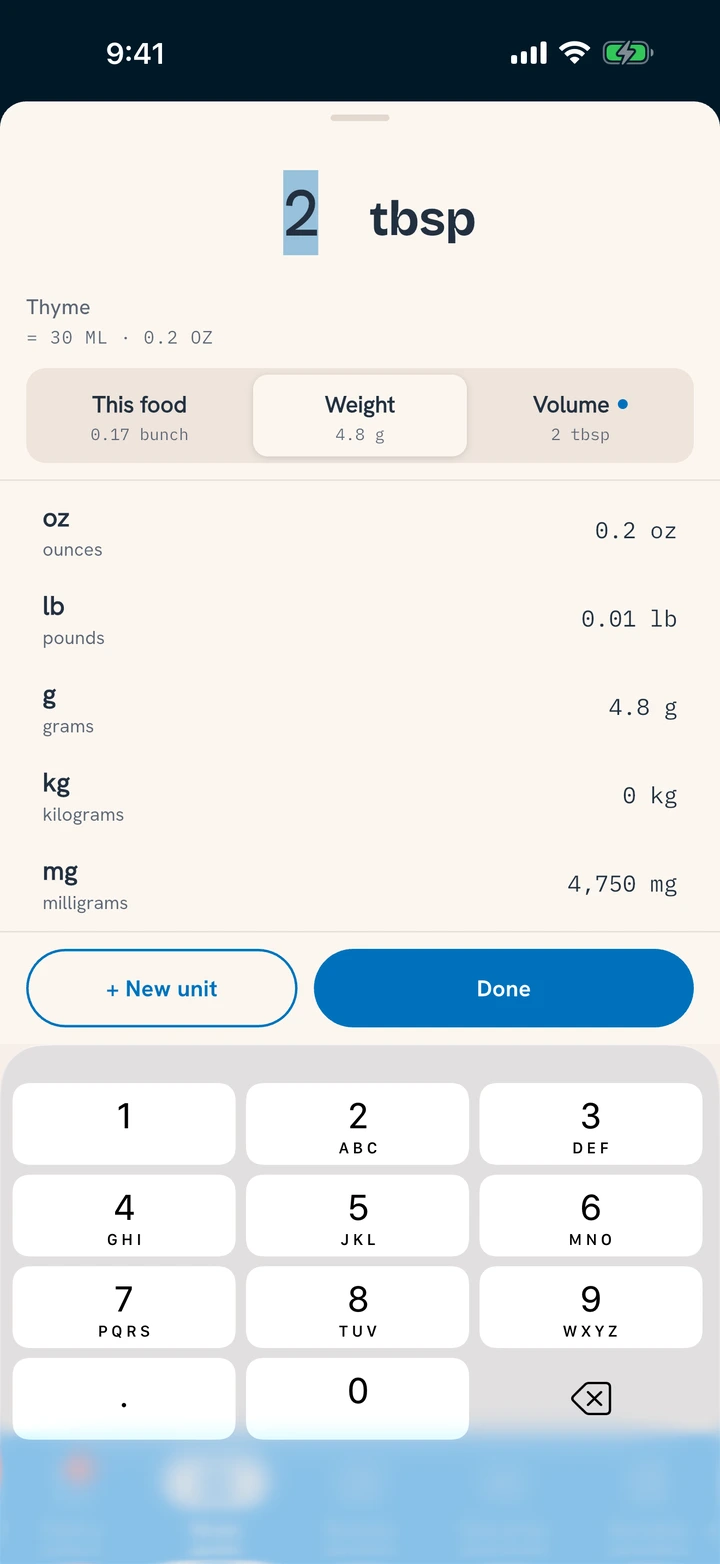
Switching units shows one merged list for that food:
- Custom units. The food's non-standard measures: some Tuna already knows for that kind of food (a large egg, a clove of garlic, a slice of bread), plus anything you have taught it yourself.
- Standard units. Grams, ounces, pounds, milliliters, cups, and friends, in both measurement systems.
- Package units. Container and serving, when the food has them.
Teaching Tuna a new unit
If your unit is not in the list, teach it:
- Type the unit name where you would pick one. A "knob" of ginger, a "handful" of spinach.
- Answer one question: what does one of those equal?
- That is it. From then on it is a real custom unit for that food, for your whole household.
When Tuna asks instead of guessing
Two conversions genuinely need you:
- Mass to volume (or back). A recipe wants a cup of something Tuna only knows by weight. Nobody can convert that without knowing what a cup of it weighs, so Tuna asks, once per food.
- A new custom unit. Tuna needs to know what one of it equals before it can do anything with it.
Both prompts appear at the exact moment the answer is needed, and the answer saves back to the food permanently. Until you answer, Tuna shows dashes rather than a made-up number: a recipe with one unconvertible ingredient shows "-- cal" instead of a wrong total, and a cost that cannot be converted shows no estimate at all. If Tuna shows you a number, a real conversion produced it.
What this means for you
- Say amounts the way you talk; precision is one tap away, never required.
- Answer a unit prompt once and that food converts forever.
- Dashes are honesty, not breakage: one quick answer clears them.