Add Items One at a Time
Last updated
Scan and go
Point your camera at the barcode on any packaged product and Tuna pulls up the item: brand, product name, serving size, and the full nutrition facts from the label. Set how many you have, confirm, and it's in your pantry. No typing product names, no entering nutrition by hand. For a single item, the whole thing takes about five seconds.
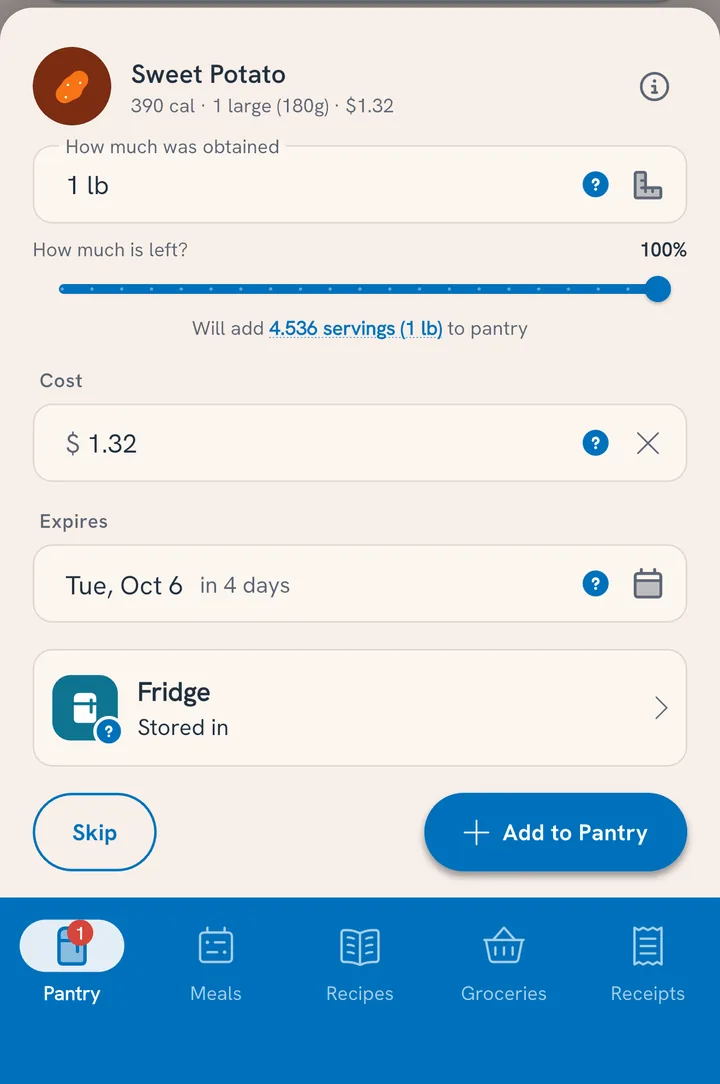
The other three doors
Not everything has a barcode, and not every barcode is known. Pick the door that fits:
- Scan the nutrition label. Photograph the panel and Tuna reads it into a new product: nutrition, serving size, the works. Best for unknown barcodes and anything homemade-adjacent with a label.
- Search by name. Produce, bulk-bin items, and anything in our database of over a million foods. Pick the food, set the amount, done.
- Enter it manually. The always-free, always-works path: name it, set a serving, add nutrition if you care to. Whatever you create is saved for your household, so it's a search hit next time.
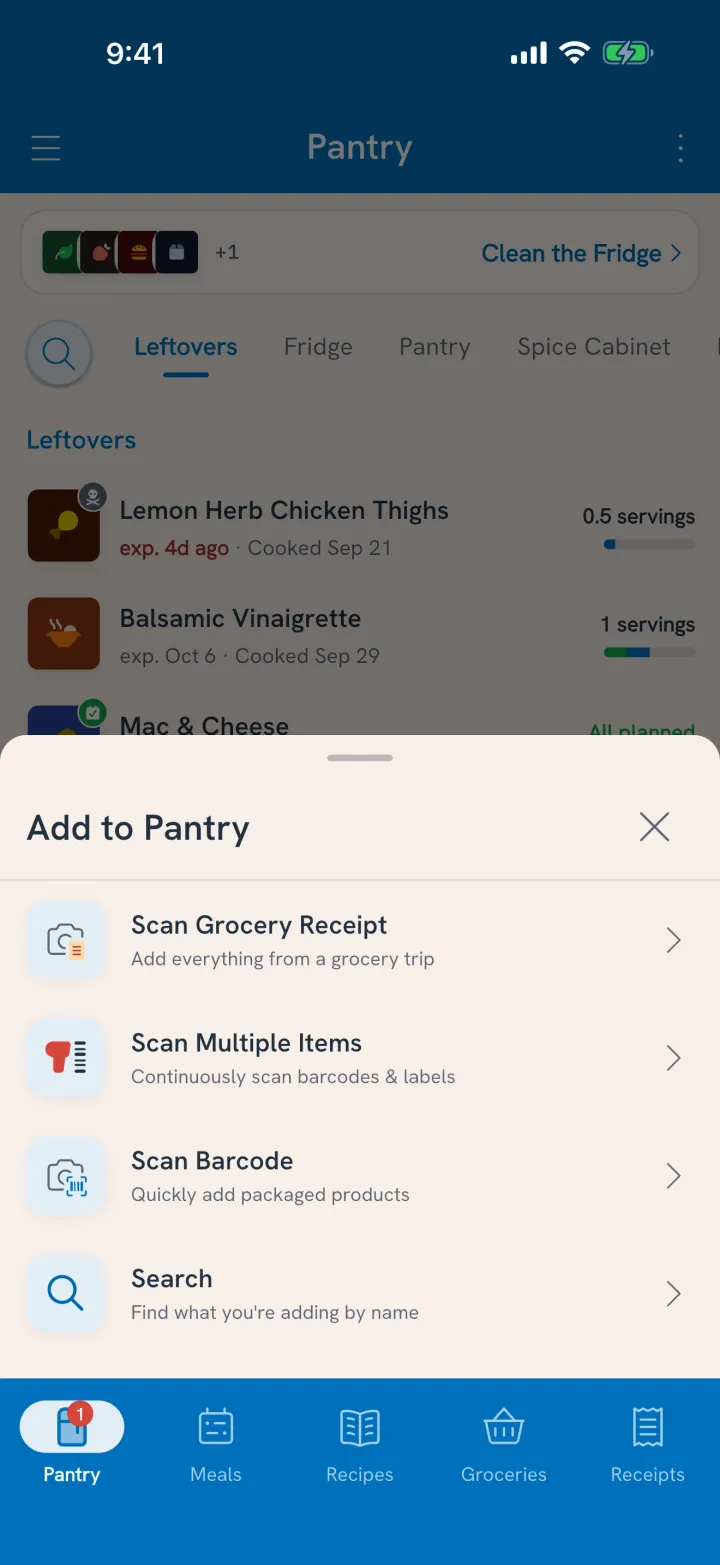
Every door ends at the same card: quantity and unit (in whatever unit you prefer; unit conversion happens quietly underneath), an estimated cost from your purchase history, and an expiration date suggested from the food's shelf life.
What the scan brings with it
- Brand and product name, so your Barilla spaghetti and the store-brand penne stay distinct
- Serving size and servings per container, so Tuna can count down what's left as you cook
- Complete label nutrition: calories, protein, carbs, fat, fiber, sugar, sodium
- Cost, prefilled from what your household has paid before, editable on the spot
- Expiration, suggested by food type, editable on the spot
When you cook with a scanned product, its label nutrition flows through to the meal. Your Tuesday pasta shows the numbers for the pasta you actually bought, not a generic database entry, and different brands of the same food keep their real differences.
Coverage
The scanner recognizes most packaged foods sold in grocery stores: national brands, store brands and private labels, and a long tail of specialty and international products. Very new products and small local brands occasionally miss; when that happens, the label scan or a manual entry fills the gap, and the product is known from then on.
Got a whole haul?
One at a time is for the odd item. When groceries cover the counter, Scan Multiple Items keeps the camera open while you work: scan the same can twice and you get two, and anything without a barcode is a search or a sentence away without leaving the flow. That has its own guide: Load Your Pantry in One Go.
Homemade food or a neighbor's casserole won't have a barcode or a catalog entry. See Add Food That Isn't in the Catalog.
The habit
The moment that makes this work is the one you already have: putting groceries away.
- Bags on the counter, camera open.
- Scan as you shelve, confirm as you go.
- By the time the bags are folded, the pantry is current and every new item has an expiration date.