Fill the Week
Last updated
Planning one food at a time works when one thing is expiring. When half the fridge needs eating this week, Fill the week does the first pass for you. You say who's eating at home, and Tuna drafts food for those meals, using what's at risk first. Nothing is saved until you keep it.
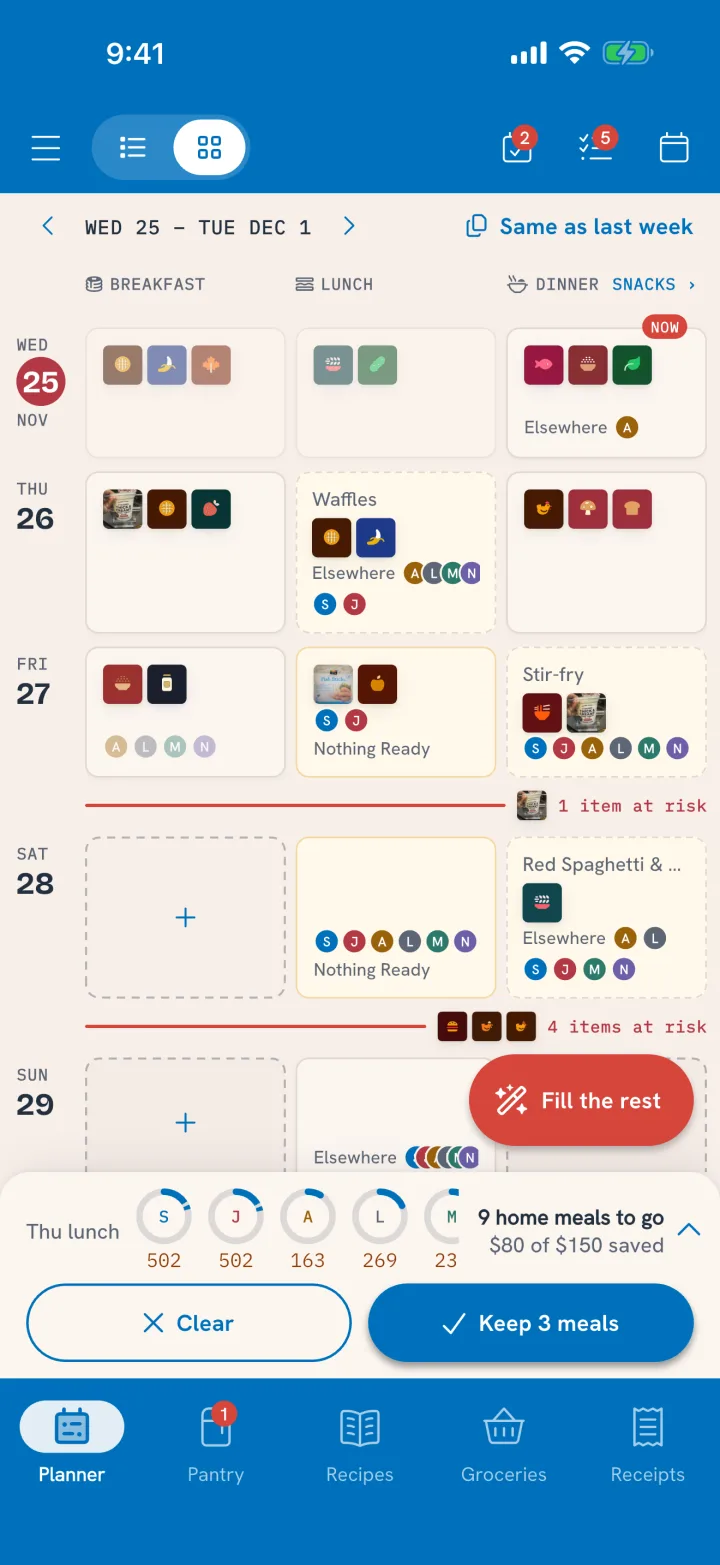
Fill it
- On the Planner tab, switch to Grid. Use the arrows to get to the week you want.
- Tap Fill the week. Who's eating where? opens for those seven days, with what's already set filled in.
- On the Breakfast, Lunch, and Dinner tabs, set each person From Home, Elsewhere, or Skip. A tap steps a cell; a day sets its row, a name sets that person's column, and Everyone sets the whole meal. A dot on a tab means someone there isn't set yet.
- Tap Fill. Tuna saves who's where and drafts the week. Each drafted meal shows its dish on the Grid, with a dashed outline.
Tuna only puts food on people who are From Home at a meal that hasn't started and has no food for them yet. For each meal it picks from what Add food shows there: your recipes and meals that are Ready with what's on hand, and leftovers, with food at risk weighed first. Someone who already has food at a meal gets a side at most.
A message says what happened ("Drafted 3 meals. 2 have nothing Ready.") with Review. A home meal nothing fits says Nothing Ready; tap it to pick food in Add food. With a draft on the page, the button reads Fill the rest, for the meals still open.
Look it over
Tap Review, or the count on the Planner tab's top bar, to open the draft. It lists every home meal on the page by day, with who's having each food, and Nothing Ready where Tuna found nothing (tap + to add food there).
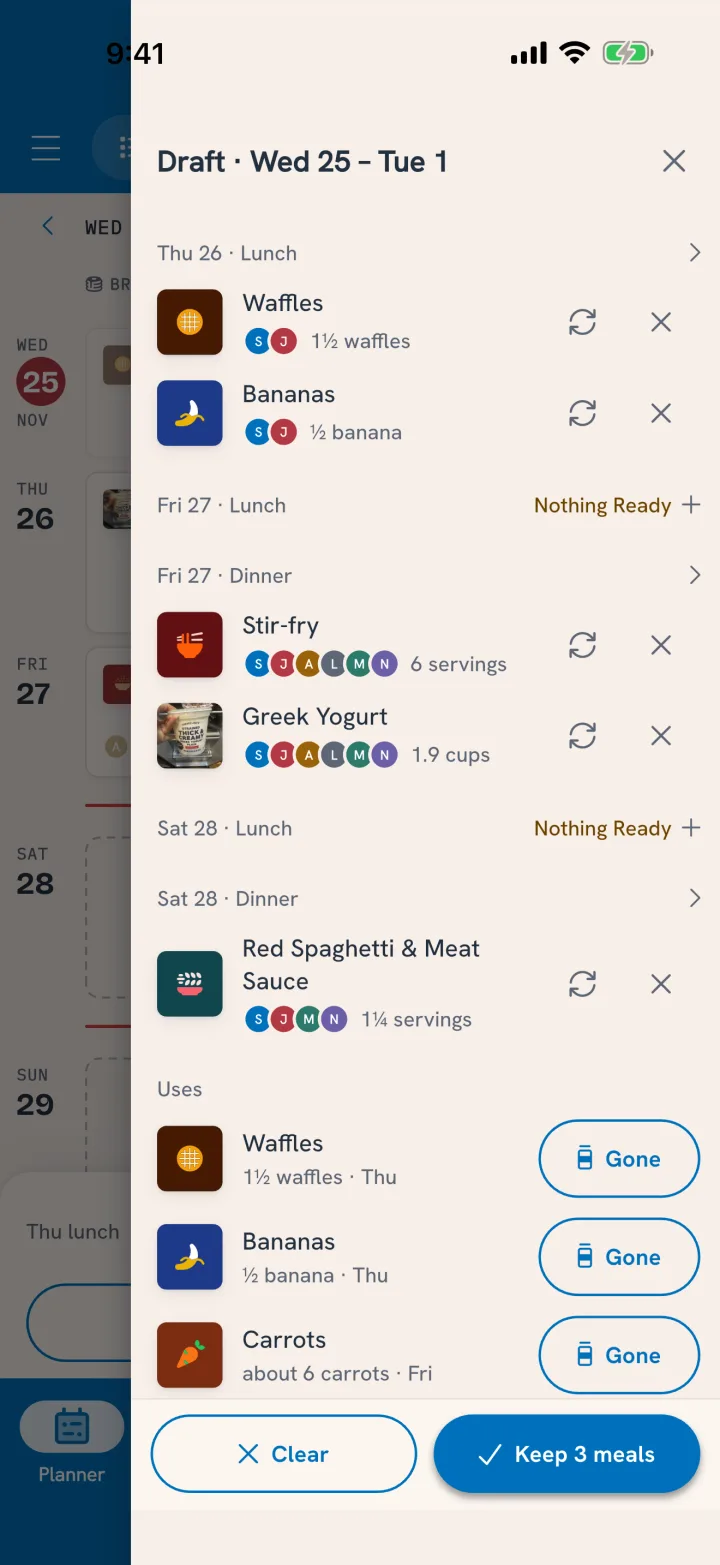
- Swap on a row offers the other foods that fit that meal. Pick one and it takes the drafted food's place.
- Remove (the ✕) takes a food off that meal.
- A food with nobody on it asks Who's eating these 2 cups? Tap it to pick who.
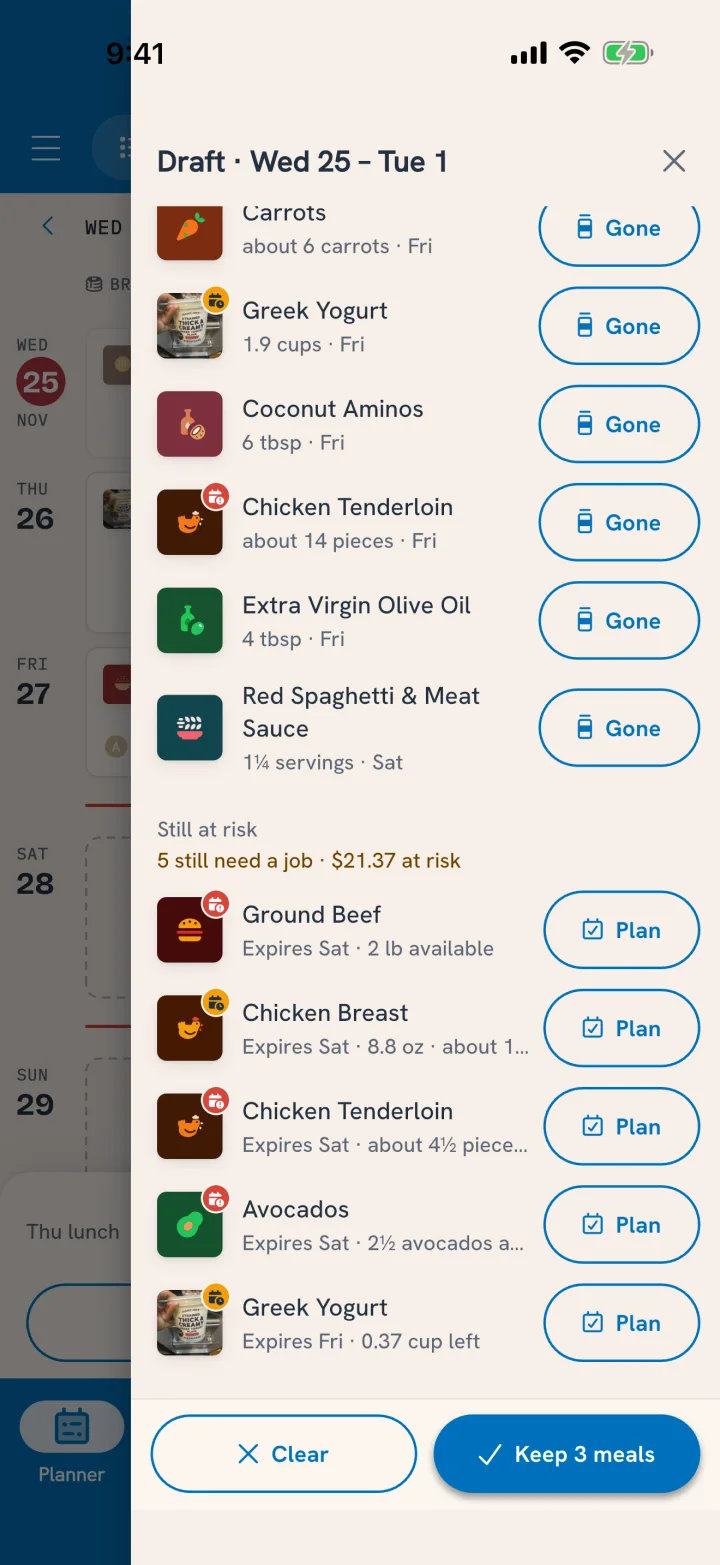
- Under Uses, each pantry item the draft draws shows how much and on which days. Already used it up? Tap Gone and Tuna refills the meals that counted on it.
- Still at risk lists the food the draft didn't use, and what it's worth. Tap Plan on any of it to plan it yourself.
Keep it or clear it
- Keep saves the drafted food as planned meals and says how many it's keeping ("Keep 3 meals"). The food is set aside for those meals, and the message has Undo.
- Clear drops the whole draft.
Kept meals are ordinary planned meals. Change one later the way you change any meal, and confirm it when it happens.
Related
- Planning one food yourself: Save It Before You Waste It.
- Saying who's eating where, and repeating it: Plan Your Meals.
- What happens when the meal comes: Track Your Meals.