Write or Edit a Recipe
Last updated
The form is mostly optional
Whether you're writing a recipe from scratch or cleaning up one you imported, you meet the same form. Almost none of it is required: a name and one ingredient are the whole floor. Everything else is there to make the recipe do more for you later, and this guide walks each field so you know which ones are worth your time.
The two that pay off most are the yield (so per-serving nutrition and cost come out right) and the ingredient links (so Tuna knows when you can make it, and which recipes use the food that needs eating). The rest you can add now or never.
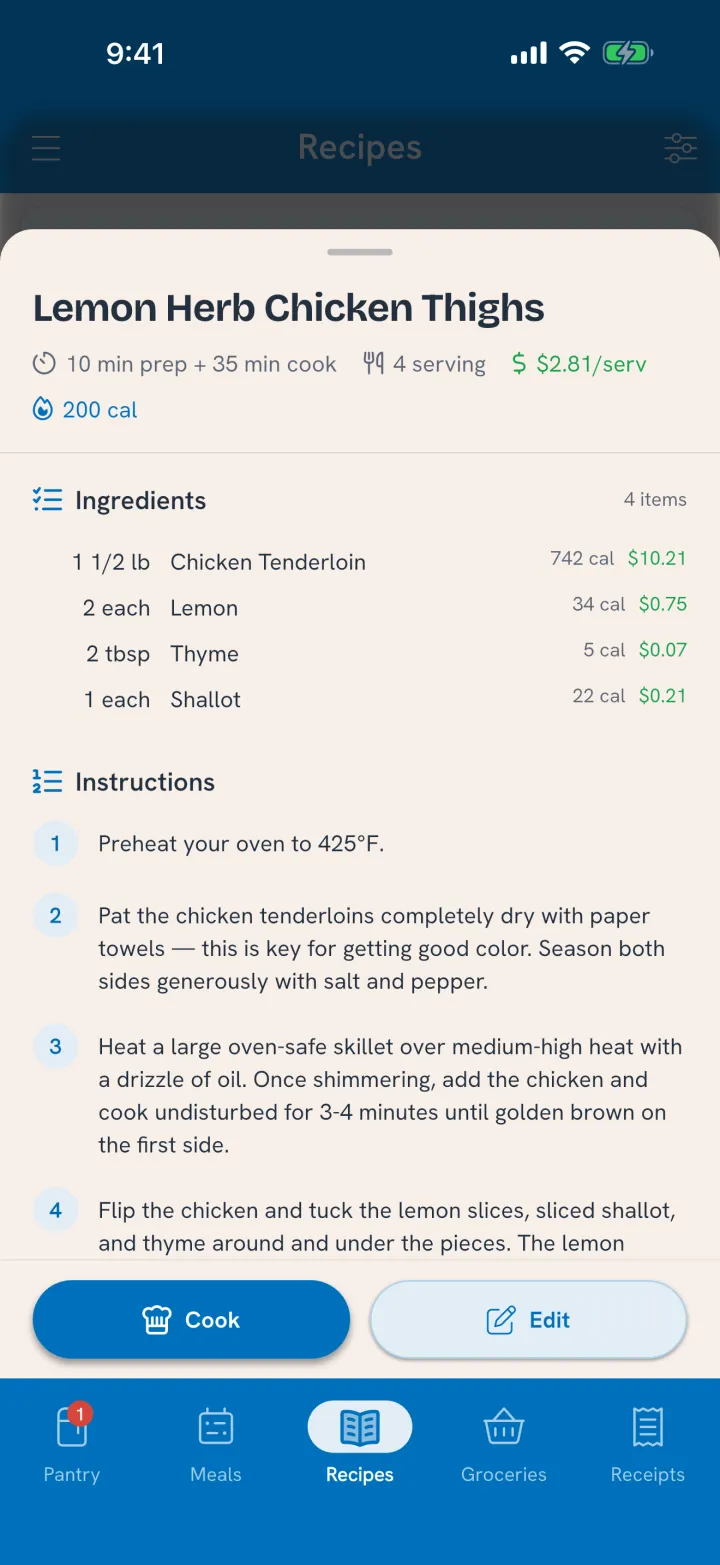
To open the form, tap a recipe on the Recipes tab to open its card, then tap the pencil.
The basics
- Recipe name is the only truly required field. It's what you'll search for and what shows in your recipe list.
- The photo is the picture of the finished dish. Snap one, pick from your library, or let an import bring nothing and add it later. A good photo makes the recipe easy to spot in a long list.
Times and yield
Three time fields, and they mean different things:
- Prep time is hands-on work before cooking starts.
- Cook time is time on the heat.
- Total time is start to eating. Set this higher than prep plus cook when a recipe rests, rises, marinates, or chills. Bread that proofs for two hours has ten minutes of prep and a long total, and the total is what tells you whether tonight is realistic.
Then the yield:
- Makes is how much the whole recipe produces. Most recipes make servings ("Makes 4 servings"), but you can measure the yield in whatever fits: "Makes 12 waffles," "Makes 6 cups."
- How many servings this recipe makes appears only when your yield unit isn't already servings. If a batch makes 12 waffles, Tuna asks how many servings that is, and that's how it works out a single serving's nutrition and cost: the whole recipe divided by the number of servings. Get this right and every per-serving number downstream is right.
- Keeps is how many days the dish stays good once cooked. When you cook the recipe, the dish's date counts from the meal it was cooked for, plus these days. Leave it empty and it gets a week; set it to what you'd actually trust.
- Keeps in says where the cooked dish goes: Pantry, Fridge or Freezer. Cook the recipe and the dish lands on that shelf, ready to move if you put it somewhere else. Leave it unset and cooks land in the fridge. See Keep Track of Leftovers.
Ingredients: what each line carries
Tap Add Ingredient (or an existing one) to open its editor. A line can be as simple as a food and an amount, but a few fields underneath are what make nutrition and cost honest.
- The linked food is the heart of it. Search and link each ingredient to a real food, and that line gains nutrition, a cost from your purchases, and pantry matching. If it's something unusual, create it as your own food right there. An ingredient can also link to another of your recipes, so "1 batch pizza dough" points at your actual dough. Why linking matters in full is covered in Bring In Your Recipes.
- Original description holds the exact wording from an import or scan, like "large carrots, peeled and diced." It stays on the recipe as the human label while the link underneath tells Tuna it means carrots. You only see this field when a description was carried in.
- Quantity and unit are the amount. Say it however you like (two breasts, half a cup, 300 grams); unit conversions reconcile it underneath.
- Group files the ingredient under a heading like "For the sauce" or "Toppings." Purely for readability, with one bonus: ingredients you group under Toppings or Garnish get their own checkboxes on the cook screen, so you can tick off what you actually added.
- Optional marks an ingredient the recipe can do without. Optional ingredients never hold a recipe back from "what can I make right now."
- For serving marks an ingredient added plate by plate rather than into the pot: the bun each burger sits in, the parmesan over each bowl. Tuna scales these by servings, not by the batch.
When an ingredient isn't eaten whole
Some ingredients touch the food without ending up on the plate: a marinade you pour off, oil you fry in and drain, a garnish that's mostly for show. Counting them in full would overstate the calories.
Turn on Not fully counted for nutrition and a slider sets how much actually lands on the plate, with presets for the common cases:
- Garnish or infusion counts none of it.
- Frying oil counts about a tenth.
- Marinade counts about a fifth.
Only the nutrition is scaled down; the recipe still uses the full amount you entered, so your pantry drawdown and shopping stay accurate.
Once a line is linked, the editor shows that ingredient's own nutrition and dollar cost, so you can see exactly what each one contributes before you save.
Instructions
Tap Add Step for each step of the method. Steps are plain text, one action each, and they're optional: a recipe with ingredients and no steps is perfectly valid for something you already know how to make. If you imported or scanned the recipe, the steps arrive already filled in.
When you save, Tuna marks the ingredients each step uses, so "melt the butter" shows the butter in bold with its icon, on the recipe card and in cook mode. It only marks the ones it's sure of. A step that names a time ("simmer for 10 minutes") gets a timer button in cook mode. Steps are what make Cook Step by Step work, so a recipe you plan to cook often is worth writing out.
Prep recipes and what a recipe makes
Two fields near the bottom connect recipes to each other:
- This is a preparation recipe marks a recipe that makes an ingredient, not a dinner: pizza dough, a spice blend, a batch of cooked rice. A prep recipe stays out of the recipe ideas Tuna offers and shows up when you search or when another recipe calls for it.
- This recipe makes links the finished dish to a food, so other recipes can use it as an ingredient. Point your pizza dough recipe at the food "pizza dough," and a pizza recipe that lists pizza dough can draw straight from a batch you made. Skip it when nothing fits; most dinners don't need it.
Tagging and saving
Meal times and tags help you find the recipe later. They have their own guide: see Organize Your Recipes.
When you're done, tap Save Recipe, or Update Recipe for an edit. Started from cooking? The button reads Save & Cook and takes you straight into the cook.
Related
- Import Your Favorite Recipes: importing from a link or a photo, and why linking ingredients matters.
- Organize Your Recipes: meal times, tags, and finding recipes fast.
- Cook a Recipe: where the yield, links, and "keeps" all pay off.
- Cook Step by Step: where the steps pay off.
- Units & Servings: how amounts and servings work.