Organize Your Recipes
Last updated
A recipe library is only useful if you can find the right recipe when you're standing at the fridge. In Tuna that comes down to tags, search, and a few filters that know what's in your pantry.
Tag recipes the way you think about them
Every recipe can carry tags. There are two kinds, and the recipe form shows them separately:
- Meal times (Breakfast, Lunch, Dinner and the snack times) say when a recipe fits. Tuna adds these when you save, based on the recipe itself, and you'll see a small "Tagged as..." note. Change them anytime.
- Tags are yours: courses, moods, people, whatever organizes your cooking. Tuna suggests a few when it spots a fit, and you can type anything to create your own ("Soups & Stews," "Nina's favorites," "Under 20 minutes").
A recipe can carry as many tags as it needs.
Find a recipe fast
On the Recipes tab:
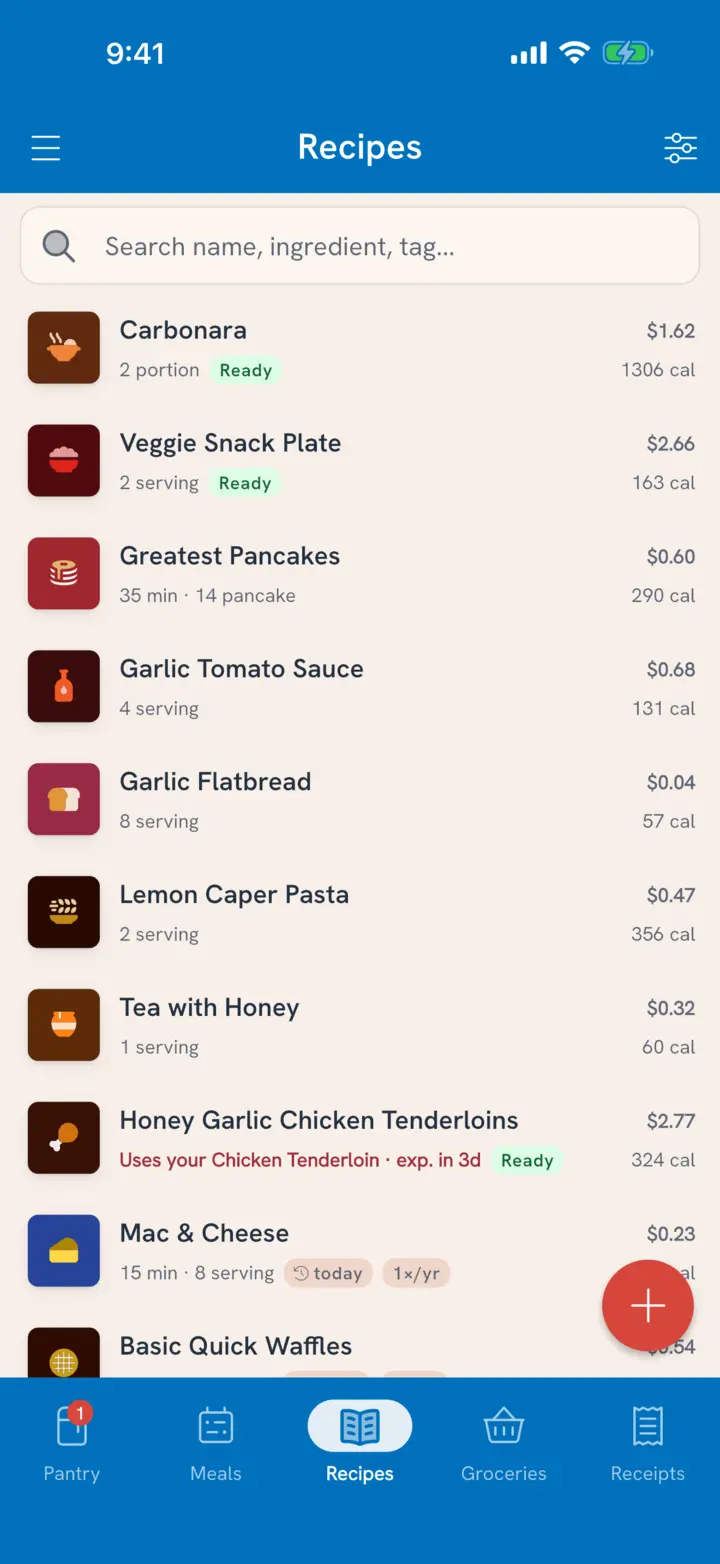
- Type in the search bar to search by name, ingredient or tag. Matching tags and ingredients appear as chips you can tap to filter by.
- Tap Sort & filter to sort by Suggested, Name or Last Cooked, and to narrow by total time.
- Turn on a filter when you want the pantry to weigh in:
- Can make tonight: every ingredient is in your pantry.
- Use up soon: uses pantry items expiring soon.
- Missing tags: recipes without any tags, so you can tidy up.
Open a recipe, or swipe it
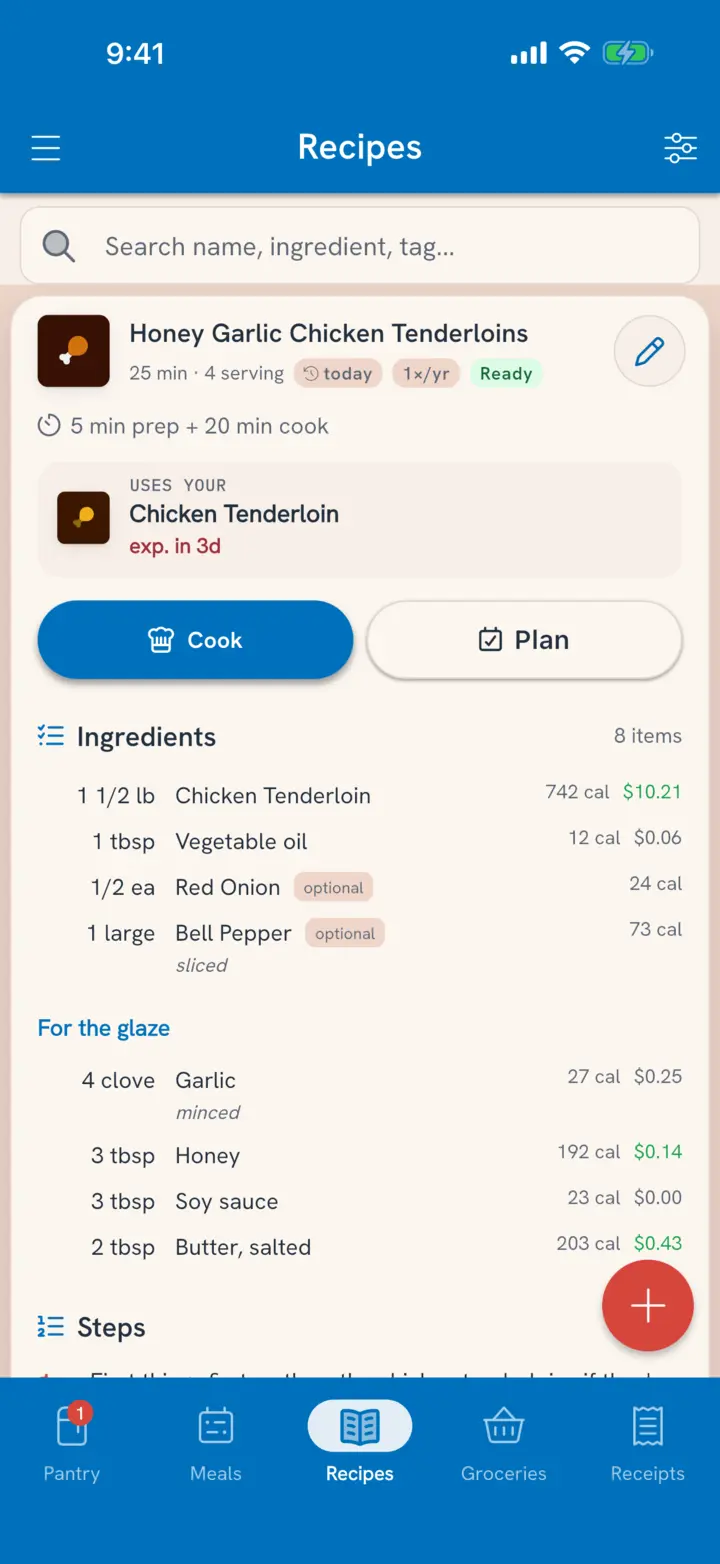
Tap a recipe to open its card right there in the list. The card is the whole recipe:
- Uses your names a pantry item it would use that's expiring soon, with its date.
- Missing lists what you don't have, with Add to grocery list.
- Cook and Plan, then the Ingredients and the Steps. Each step marks the ingredients it uses, so you can see what goes in when.
- The pencil at the top opens the recipe to edit.
Rows you haven't opened have shortcuts. Swipe right to Cook. Swipe left to Plan, or Add to list when the recipe is missing something.
Manage tags for the household
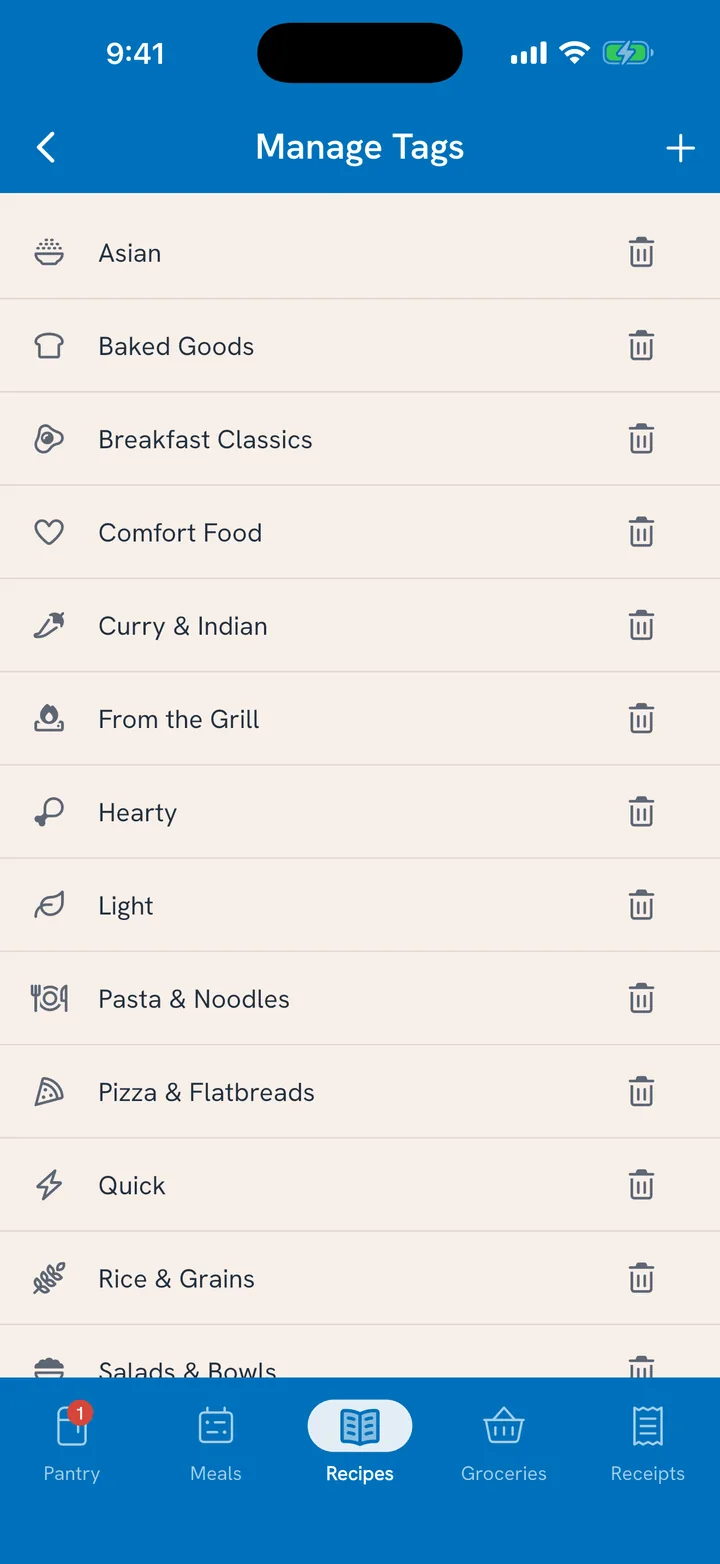
Tags belong to the household, so everyone files recipes the same way.
- On the Recipes tab, tap Sort & filter.
- Choose Manage tags.
- Rename, re-icon, add or remove tags.
Related
- Getting recipes in: Import Your Favorite Recipes.
- Using what needs eating: Use Food Before It Goes Bad.